
Data is the backbone of any successful marketing strategy, but presenting that data effectively is what separates insight from noise. A well-crafted marketing report doesn't just display metrics; it tells a compelling story about performance, highlights opportunities, and justifies budget allocation. The problem is that creating these reports from scratch is time-consuming and often results in dense, uninspiring spreadsheets that stakeholders struggle to decipher. This is where high-quality sample marketing reports become an invaluable asset.
This curated listicle dives deep into the best platforms and resources for finding and customizing professional marketing report templates. We'll move beyond generic lists and provide a strategic breakdown of what makes each sample effective. You will find actionable takeaways and specific tips for tailoring them to your unique campaign goals, whether for SEO, PPC, social media, or comprehensive multi-channel analysis.
Each entry includes detailed analysis, direct links, and screenshots to help you visualize the final product. Our goal is to equip you with the tools and insights needed to transform your data presentation, enabling you to communicate results with clarity and impact. Forget building from a blank page; let's explore the best templates to upgrade your reporting today.
1. HubSpot Templates Library
HubSpot’s Templates Library is a go-to resource for marketers seeking professional, ready-to-use report templates. It provides a robust collection of downloadable files designed to streamline the reporting process, making it an excellent starting point for anyone needing polished, stakeholder-friendly documents without building them from scratch. This platform stands out for its accessibility and focus on practical, business-centric designs.
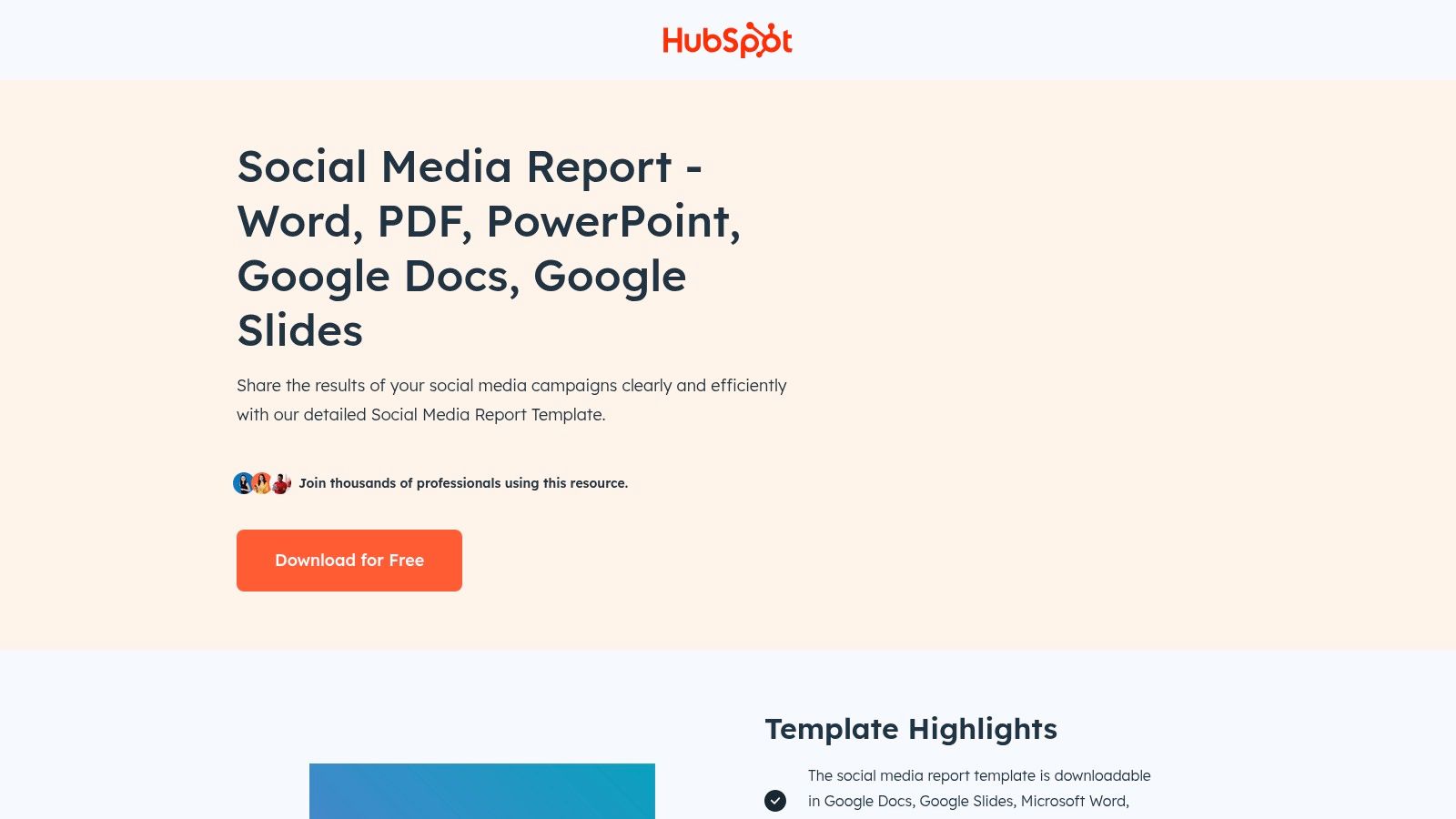
The library’s main strength lies in its variety and ease of use. You can find everything from comprehensive monthly marketing report decks to specific social media performance templates. These resources are available in multiple formats, including Google Slides, PowerPoint, and Word, which allows for effortless editing and customization. Simply plug in your data, add your analysis, and your report is ready to present.
Key Features and Strategic Value
HubSpot’s offerings are particularly valuable for teams aiming to standardize their reporting. The templates provide a consistent framework that covers essential marketing KPIs, such as traffic sources, conversion rates, and channel-specific performance.
- Structure for Success: The templates include predefined sections for an executive summary, key metrics, analysis, and next steps. This structure prompts marketers to not just present data but also provide actionable insights.
- Time-Saving Design: For busy teams, these pre-made templates eliminate hours of design work. The focus can shift from formatting slides to analyzing performance and planning future strategies.
- Accessibility: Most templates are free, although they often require you to provide contact information for the download. This lead-generation model is a small price to pay for high-quality resources.
Actionable Takeaway
To get the most out of these sample marketing reports, don't just fill in the blanks. Use the provided structure as a foundation but customize it heavily with your brand’s specific goals and context. Add unique slides that address your campaign’s narrative and challenges. This transforms a generic template into a powerful, strategic communication tool.
| Feature Comparison | HubSpot Templates Library |
|---|---|
| Cost | Free (requires contact info) |
| Formats | Google Slides/Docs, PowerPoint, Word |
| Best For | Standardized monthly/quarterly reports |
| Customization Level | High (fully editable files) |
Website: HubSpot Social Media Report Templates
2. Canva
Canva is a powerhouse for marketers who need to create visually stunning reports without extensive design skills. It offers thousands of editable templates for everything from campaign summaries to detailed trend analyses. The platform's strength is its intuitive, in-browser editor that makes crafting professional, client-facing documents a fast and seamless process. It stands out by combining a massive asset library with powerful drag-and-drop functionality.
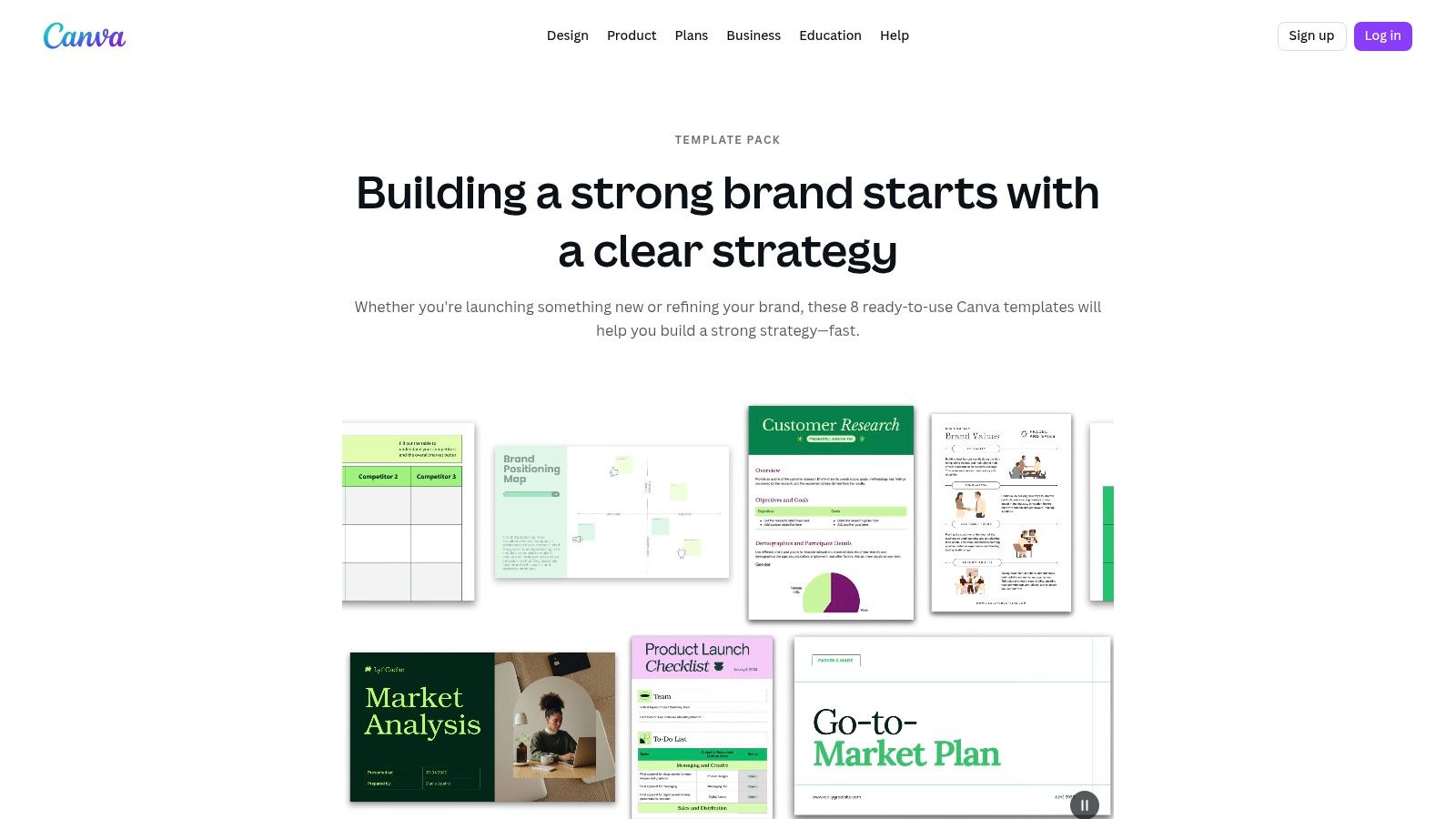
The primary advantage of Canva is speed and visual appeal. You can quickly find a marketing report template, customize it with your brand’s colors and logos using the Brand Kit feature, and populate it with data using built-in charts and tables. This transforms the often tedious task of reporting into a creative exercise, perfect for agencies and teams that need to impress stakeholders with polished presentations. The platform's collaborative features also allow multiple users to edit a report simultaneously.
Key Features and Strategic Value
Canva is especially useful for creating high-impact visual narratives around your marketing data. Its templates are designed with a modern aesthetic, ensuring your reports look current and are easy to digest. This visual-first approach is crucial for conveying complex information to busy executives. The platform is also an excellent tool for various marketing efforts beyond reporting, making it a versatile asset; it's a great platform for content marketing for small businesses.
- Design-Centric Reporting: Canva’s templates prioritize clean layouts, data visualization, and brand consistency. This helps ensure your insights are not just seen but understood.
- Rapid Customization: The drag-and-drop editor allows for quick changes to text, images, and charts. You can go from a generic template to a finished, branded report in minutes.
- Flexible Access: Canva operates on a freemium model. While many templates are free, a Pro subscription unlocks premium assets and features, removing watermarks and providing more advanced tools.
Actionable Takeaway
To maximize Canva's potential for your sample marketing reports, use its Brand Kit feature to preload your company's logos, fonts, and color palettes. This ensures every report is perfectly on-brand with just a few clicks. Furthermore, don't be afraid to mix and match pages from different templates to build a custom report that perfectly fits your campaign’s story.
| Feature Comparison | Canva |
|---|---|
| Cost | Free (Pro plan unlocks premium elements) |
| Formats | PDF, PNG, PowerPoint, direct sharing link |
| Best For | Visually appealing, client-facing reports |
| Customization Level | High (in-browser drag-and-drop editor) |
Website: Canva Brand Strategy Templates
3. Venngage
Venngage is an online design platform that empowers marketers to create visually compelling reports without needing advanced design skills. It offers a vast library of marketing-focused templates that blend professional data presentation with infographic-style aesthetics. The platform excels at transforming standard KPI updates, campaign summaries, and analytics overviews into engaging, easy-to-digest visual documents.
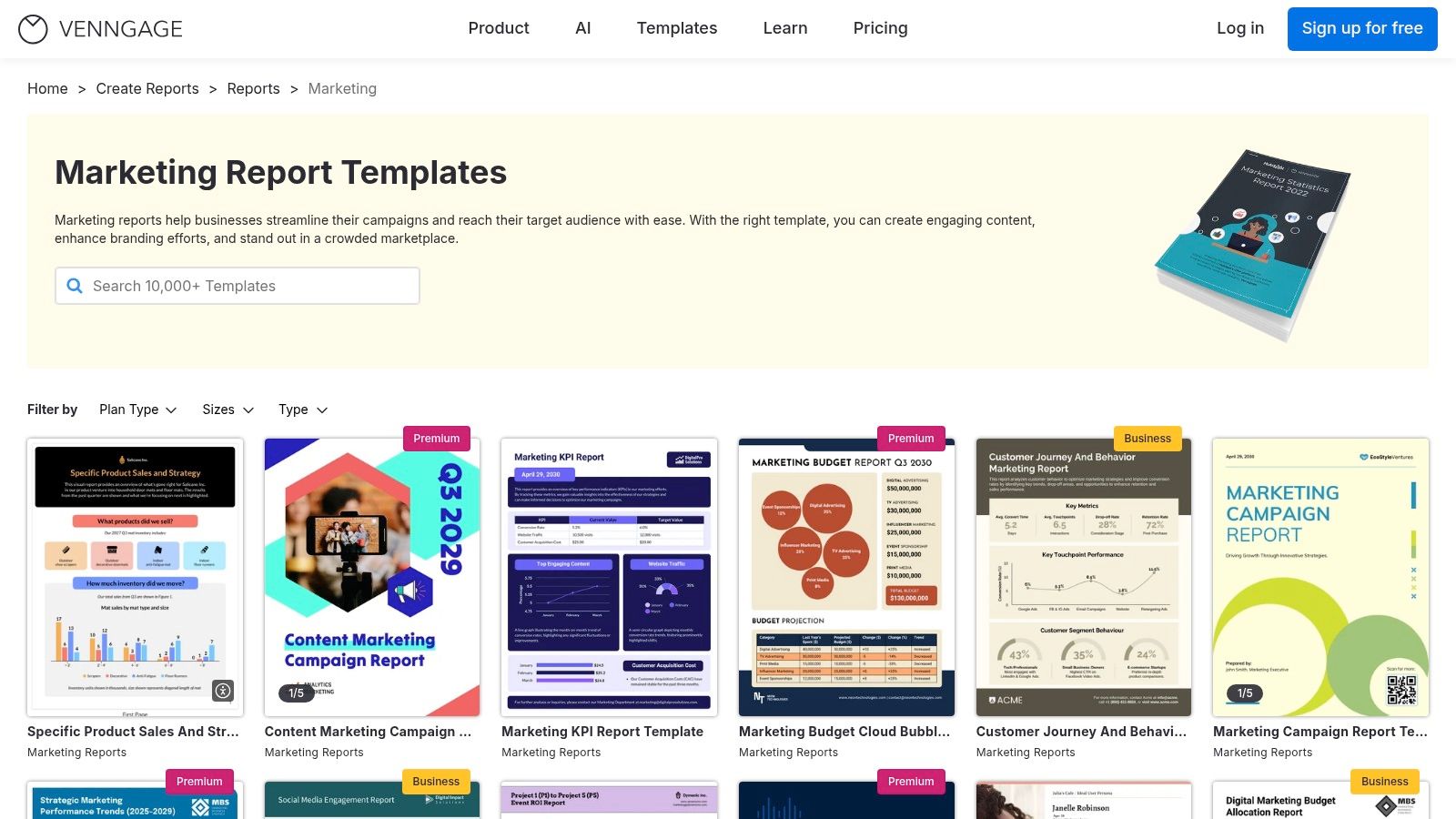
The core strength of Venngage is its balance between structured templates and creative flexibility. Users can select from dozens of sample marketing reports tailored for specific use cases like SEO, social media, or quarterly business reviews. The intuitive drag-and-drop editor allows for easy customization with charts, icons, and brand colors, making it a powerful tool for maintaining visual consistency across all communications.
Key Features and Strategic Value
Venngage is particularly beneficial for teams that want to elevate their reporting beyond simple spreadsheets or slide decks. The platform's features are designed to support brand consistency and make data storytelling more impactful, which is a key aspect of modern graphic design and social media strategy.
- Design-Forward Templates: The templates are created with visual hierarchy in mind, guiding the reader’s eye to the most important metrics and insights.
- Brand Consistency Tools: Paid plans offer a "My Brand Kit" feature, allowing you to automatically apply your company’s logos, color palette, and fonts to any template.
- Team Collaboration: Business-tier plans enable real-time team collaboration, allowing multiple stakeholders to comment on and edit a report before it's finalized.
Actionable Takeaway
Leverage Venngage’s visual elements to tell a story with your data. Instead of just listing metrics, use icons to represent different channels, use color-coded charts to highlight growth, and add short text boxes with annotations to explain why certain numbers changed. This approach makes your report more memorable and ensures your key messages land with impact.
| Feature Comparison | Venngage |
|---|---|
| Cost | Free (limited); Paid plans for full features |
| Formats | PDF, PNG, PowerPoint (paid plans) |
| Best For | Visually engaging, infographic-style reports |
| Customization Level | Medium (template-based with editor) |
Website: Venngage Marketing Report Templates
4. Databox
Databox moves beyond static templates, offering a powerful platform for creating live, auto-updating marketing dashboards. With over 200 plug-and-play templates, it excels at providing real-time performance visibility, making it ideal for teams that need continuous monitoring rather than just monthly slide decks. This platform stands out by connecting directly to your marketing tools, turning data into actionable insights instantly.
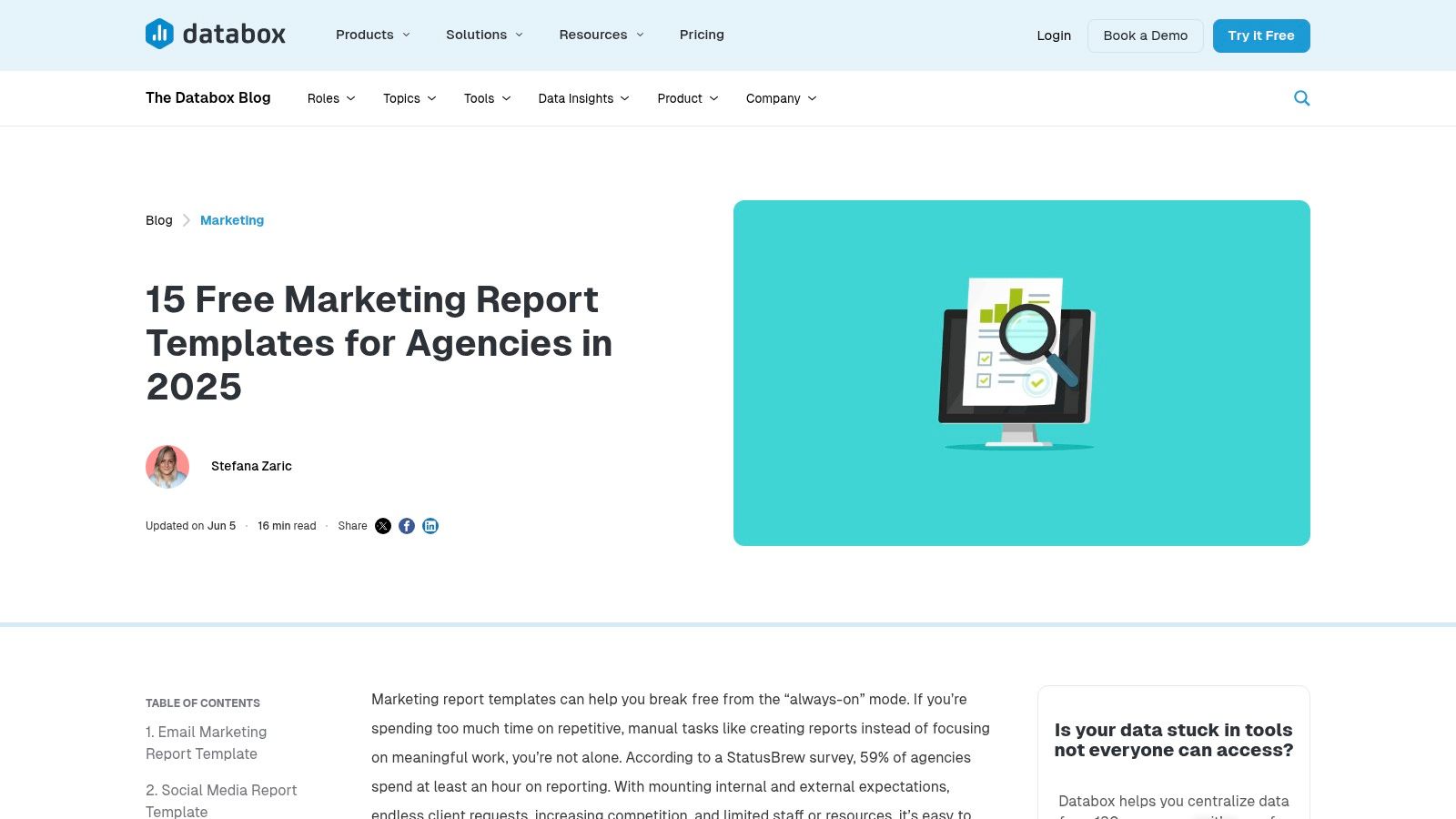
The core strength of Databox is its automation and integration capabilities. You can connect to over 130 sources like Google Analytics 4, HubSpot, and various ad platforms with a single click. Once connected, your chosen dashboards populate with data and refresh automatically, eliminating the tedious task of manual data entry. This approach is perfect for creating a comprehensive example of a marketing report that stays relevant day after day.
Key Features and Strategic Value
Databox is particularly valuable for agencies and in-house marketing teams that manage multiple campaigns and need to report on performance frequently. The platform scales effectively, offering unlimited users on its paid plans, which facilitates collaboration and transparent communication with stakeholders or clients.
- Real-Time Performance: Dashboards update automatically, providing an immediate and accurate view of marketing KPIs. This allows for agile decision-making based on the latest data.
- Vast Template Library: With templates for everything from SEO and PPC to social media and content marketing, users can quickly set up sophisticated reports tailored to specific channels.
- Automated Sharing: Reports can be shared via a live link or scheduled as email snapshots (PDFs or JPEGs), ensuring stakeholders receive regular updates without any manual intervention.
Actionable Takeaway
To maximize Databox, go beyond a single channel dashboard. Use its features to create a "Marketing Overview" dashboard that pulls key metrics from all your top channels into one view. This provides a holistic picture of performance and helps you identify cross-channel trends. Use the goal-setting feature to track your progress against specific KPIs directly within the dashboard for proactive performance management.
| Feature Comparison | Databox |
|---|---|
| Cost | Free plan available; paid plans start at $66/month |
| Formats | Live dashboards, scheduled PDFs/JPEGs |
| Best For | Real-time performance tracking and agency reporting |
| Customization Level | High (fully customizable dashboards) |
Website: Databox Marketing Report Templates
5. SlideModel
SlideModel is a comprehensive resource for professionals seeking high-quality, presentation-ready marketing templates. It offers an extensive library of downloadable decks in PowerPoint and Google Slides formats, designed for everything from monthly performance reviews to high-stakes board meetings. This platform stands out by focusing on visually compelling, data-driven storytelling, making it ideal for presenting complex information in a clear and engaging manner.
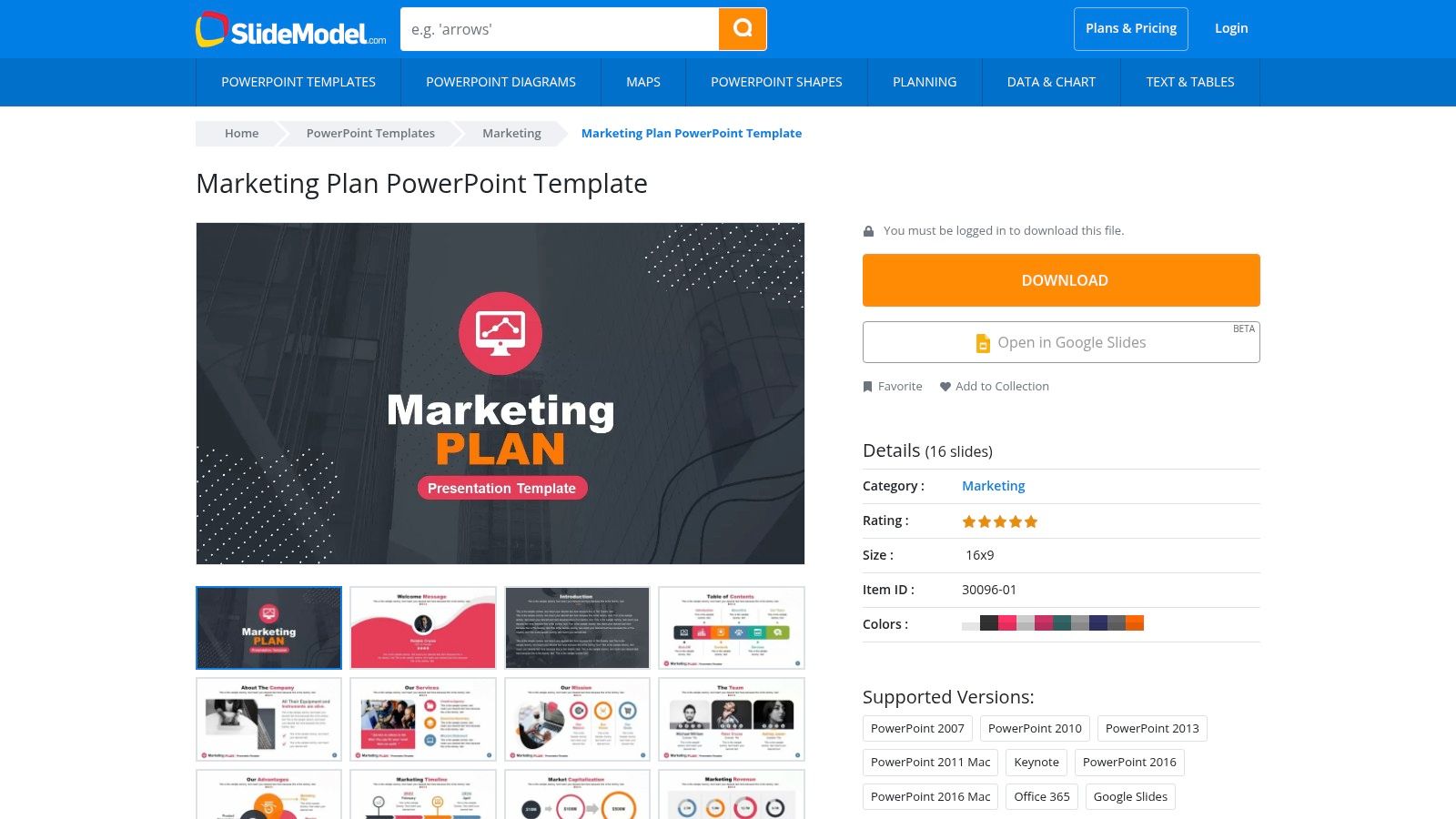
The primary strength of SlideModel is its focus on native presentation files that are 100% editable. Unlike static PDFs, these templates provide the building blocks for a complete narrative, with slides for executive summaries, KPIs, budgets, and strategic frameworks like SWOT analysis. This allows marketing teams to quickly rebrand and customize reports to fit their specific needs, ensuring a polished and professional look for any client or internal presentation.
Key Features and Strategic Value
SlideModel's templates are engineered to support strategic communication, helping marketers go beyond just data and present a coherent plan. The pre-built layouts for timelines, funnels, and roadmaps enable teams to visualize their strategy and results effectively.
- Designed for Storytelling: The templates include a logical flow with slides dedicated to strategy, execution, and outcomes. This structure helps you build a compelling narrative around your marketing efforts.
- Professional Aesthetics: For teams presenting to leadership or clients, the polished, modern designs elevate the report's credibility and impact, saving significant design time.
- Broad Template Variety: Beyond standard sample marketing reports, the platform includes dashboards, user journey maps, and competitive analysis slides, offering a holistic toolkit for marketers.
Actionable Takeaway
To maximize SlideModel’s value, use the templates as a modular system. Pull relevant slides from different decks to create a completely custom report tailored to your audience. For instance, combine a KPI dashboard slide from one template with a strategic roadmap from another to create a report that covers both past performance and future direction. This approach ensures your presentation is both comprehensive and highly relevant.
| Feature Comparison | SlideModel |
|---|---|
| Cost | Subscription-based (some free templates) |
| Formats | PowerPoint, Google Slides |
| Best For | Client presentations and leadership updates |
| Customization Level | High (fully editable native slide files) |
Website: SlideModel Marketing Plan PowerPoint Template
6. Envato Elements
Envato Elements is a subscription-based creative marketplace offering a massive library of assets, including premium presentation and report templates. For marketers, it serves as a nearly bottomless resource for creating visually stunning and data-rich reports for any occasion, from internal performance reviews to formal client presentations. The platform stands out due to its all-access subscription model, which grants unlimited downloads of millions of creative assets.
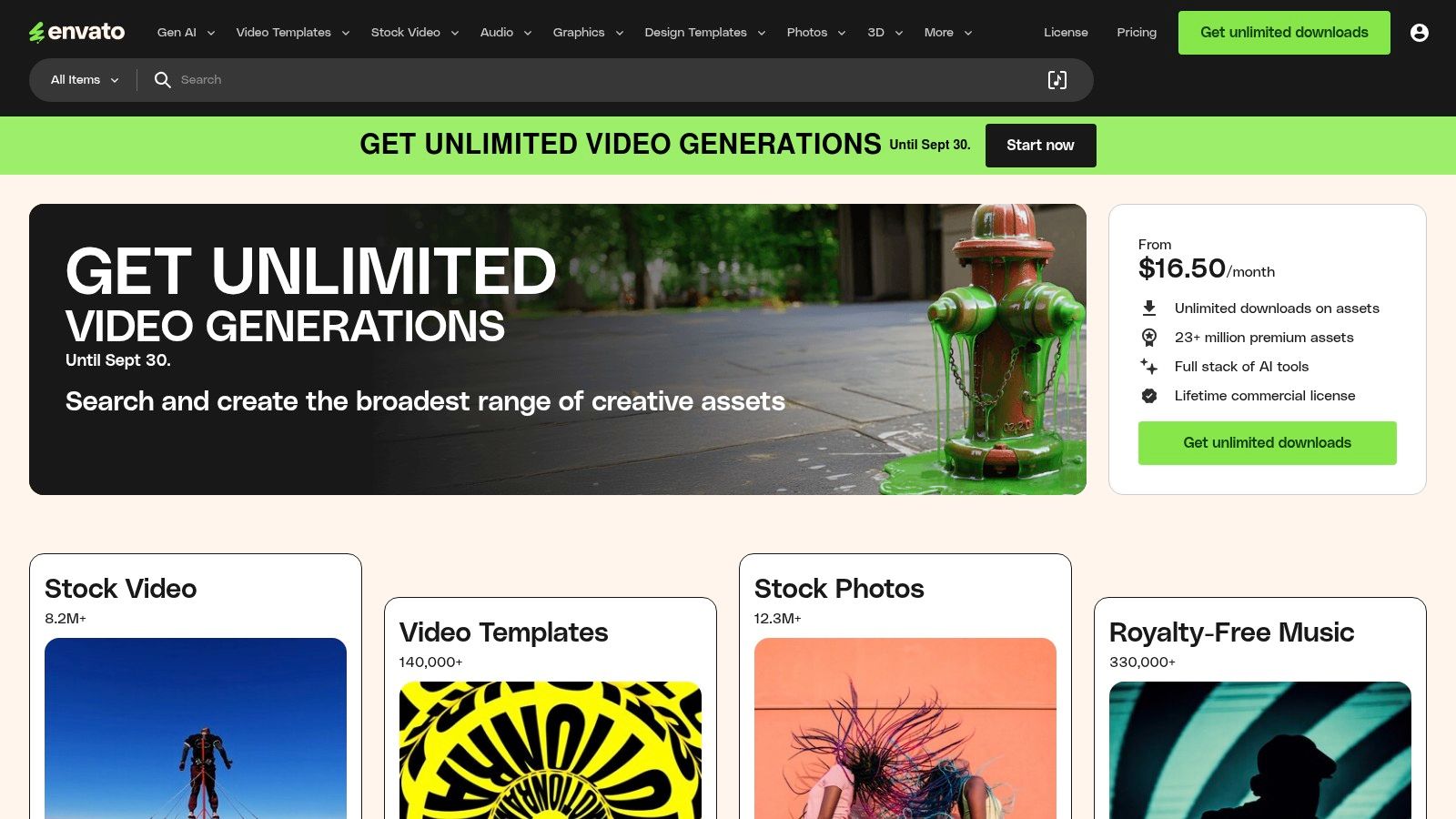
The primary advantage of Envato Elements is the sheer volume and professional quality of its designs. You can find highly specialized templates for social media analytics, SEO campaign recaps, and PPC performance dashboards. These are available in PowerPoint, Keynote, and Google Slides formats, providing flexibility for different team workflows and client preferences. The included commercial license makes it an ideal choice for agencies creating reports for multiple clients.
Key Features and Strategic Value
Envato’s value proposition is centered on providing unlimited creative resources for a flat monthly fee, empowering marketing teams to elevate their reporting without incurring per-template costs. This model encourages experimentation with different visual styles to find the perfect fit for your brand and audience.
- Design-Forward Reporting: The templates are often crafted by professional designers, featuring modern layouts, infographics, and data visualization elements that can make complex data more digestible and impactful.
- Cost-Effective Scalability: For agencies or in-house teams that produce a high volume of reports, the subscription model is far more economical than purchasing individual templates.
- Creative Versatility: Beyond reports, a subscription includes stock photos, videos, and graphics, allowing you to enhance your presentations with high-quality supporting visuals from the same platform.
Actionable Takeaway
To maximize your Envato Elements subscription, use the search filters to narrow down options by application (e.g., PowerPoint, Keynote) and keywords like "marketing dashboard" or "social media analytics." Download several sample marketing reports that fit your needs and create a custom "master template" by combining the best slides and elements from each. This approach allows you to build a unique, powerful, and reusable reporting asset tailored specifically to your KPIs.
| Feature Comparison | Envato Elements |
|---|---|
| Cost | Subscription-based (from $16.50/mo) |
| Formats | PowerPoint, Keynote, Google Slides |
| Best For | Creative agencies and design-savvy teams |
| Customization Level | High (fully editable source files) |
Website: Envato Elements
7. Etsy
Etsy serves as a massive, creative marketplace where independent sellers offer thousands of unique marketing report templates. This platform is particularly strong for those seeking aesthetically pleasing, Canva-based templates for social media analytics, monthly client updates, and comprehensive marketing plan reports. It stands out by providing hyper-niche and visually creative designs that you won't find in more corporate-focused libraries.
The primary appeal of Etsy is the sheer variety and affordability. Freelancers and agencies can find templates tailored to specific industries like beauty, real estate, or e-commerce, often for a one-time cost of just a few dollars. Most listings are instant digital downloads, allowing for immediate access after purchase, and many sellers include helpful tutorial PDFs or video guides to assist with customization in Canva.
Key Features and Strategic Value
Etsy is an ideal source for marketers who need to produce visually engaging reports without a dedicated designer. The platform's user-driven review system helps buyers vet sellers and find high-quality, proven templates that are easy to edit.
- Niche-Specific Designs: Find templates built for specific use cases, such as an Instagram influencer media kit, a Pinterest analytics report, or a client onboarding presentation.
- Affordability and Accessibility: With most templates priced between $5 and $30, it’s a cost-effective way to access professional designs. Instant downloads mean no waiting period.
- Creative Customization: Since most templates are built for Canva, they are easy to customize with your own branding, data, and insights, even for non-designers.
Actionable Takeaway
To get the most value from Etsy’s sample marketing reports, carefully read seller reviews and item descriptions before purchasing. Check if a template requires a Canva Pro account to use all its elements without watermarks. Use these templates as a creative starting point, then infuse them with your brand's unique voice and data-driven narrative to impress clients and stakeholders.
| Feature Comparison | Etsy |
|---|---|
| Cost | Low (one-time fee, typically $5–$30) |
| Formats | Primarily Canva, some Adobe files |
| Best For | Visually-driven, niche social media reports |
| Customization Level | High (fully editable in Canva) |
Website: Etsy Canva Marketing Report Templates
Sample Marketing Reports: 7-Tool Feature Comparison
| Solution | Implementation Complexity 🔄 | Resource Requirements ⚡ | Expected Outcomes 📊 | Ideal Use Cases 💡 | Key Advantages ⭐ |
|---|---|---|---|---|---|
| HubSpot Templates Library | Low – plug-in your data into ready templates | Minimal – free templates in multiple editable formats | Standardized, polished monthly marketing reports | US marketing teams needing quick, stakeholder-friendly decks | Free, business-ready, multi-format |
| Canva | Low – intuitive drag-and-drop editor | Moderate – browser-based with optional paid plans | Visually appealing, client-facing marketing reports | Fast report creation, executive summaries, client presentations | Fast, collaborative, modern designs |
| Venngage | Low to Moderate – online customization | Moderate – paid plans for premium exports/collab | Balanced design and structure for marketing reports | Non-designers needing brand consistency and teamwork | Good balance, brand support, discounts |
| Databox | Moderate – setup integrations for live data | High – requires data connections and paid plans | Real-time, auto-updating marketing dashboards | Continuous monitoring, agencies, in-house teams | Real-time data, saves manual reporting |
| SlideModel | Low – download and edit native PowerPoint slides | Minimal – subscription for access | Professional, ready-to-use presentation decks | Leadership/client presentations needing detailed slide decks | Instant download, easy rebranding |
| Envato Elements | Low – subscription access to large template pool | Moderate – subscription required | Variety of premium marketing report templates | Teams needing frequent downloads and diverse styles | Cost-effective, extensive variety |
| Etsy | Low – immediate digital downloads | Minimal – one-off purchases | Customized niche marketing reports | Small businesses/individuals seeking affordable, specific templates | Affordable, variety, quick customization |
From Data Points to Decision-Making: Elevate Your Reporting Strategy
We've explored a powerful lineup of tools and templates, from HubSpot’s comprehensive library to Canva's design-forward layouts and Databox's real-time dashboards. Each resource offers a unique pathway to transform raw data into a compelling narrative that drives strategic action. The journey through these sample marketing reports reveals a crucial truth: effective reporting is less about data dumps and more about delivering focused, actionable insights.
The key is to move beyond simply presenting metrics. A great report tells a story, connecting campaign activities directly to business objectives. It answers the "so what?" question for every chart and statistic, providing the clarity stakeholders need to make informed decisions.
Your Path to Impactful Reporting
As you move forward, remember the core principles we've uncovered. Customization is not just about adding your logo; it's about tailoring the information to your audience. A report for the C-suite should highlight ROI and top-level KPIs, while a report for your content team should dive into page performance and engagement metrics.
Consider these final takeaways as you refine your process:
- Start with the 'Why': Before choosing a template, define the report's primary goal. Are you justifying budget, optimizing a campaign, or showcasing growth? Your objective dictates your data selection and visual approach.
- Balance Aesthetics and Function: A visually appealing report captures attention, but the data must be easy to understand. Tools like Venngage and Canva excel at design, while platforms like Databox prioritize functional, live data visualization. Choose the tool that best fits your specific need.
- Context is Everything: Never present a number in isolation. Use annotations, short descriptions, and trend lines to explain what the data means. Why did traffic spike? What caused the drop in conversions? This context turns data points into a strategic conversation.
- Embrace an Iterative Process: Your first report won't be your last. Treat reporting as an agile process. Solicit feedback from stakeholders and continuously refine your templates to improve clarity and impact. The sample marketing reports we analyzed are excellent starting points, not rigid final products.
Choosing the Right Tool for the Job
Your ideal tool depends on your team's needs, technical skills, and budget. For data-heavy, automated reporting, Databox is a clear winner. If your priority is creating beautifully designed, static reports for presentations, Canva, Venngage, or SlideModel are your best bets. For those seeking a wide variety of professionally designed templates for multiple platforms, Envato Elements provides incredible value.
Ultimately, the goal is to create a reporting system that saves you time while delivering greater value. By leveraging the right tools and focusing on clear, insight-driven communication, you can elevate your reports from a routine task to an indispensable strategic asset that guides your marketing efforts toward success.
Ready to automate the most crucial part of your marketing funnel? While these tools help you report on performance, ReachLabs.ai fills your pipeline with high-intent leads so you have incredible results to report in the first place. Discover how our AI-powered platform can identify and engage your ideal customers at scale by visiting ReachLabs.ai.