Sales reps know the scene. A prospect asks for a competitive comparison, a security summary, or a proof point for a specific use case, and the rep starts digging through Slack, old email threads, desktop folders, and a graveyard of “final_v3” PDFs. If they can't find the right asset fast enough, they improvise. That usually means a custom slide, copied messaging, or an outdated deck with the old product story.
That's how content chaos starts. Marketing thinks sales isn't using the content. Sales thinks marketing makes content for campaigns, not conversations. Leadership sees content as overhead because nobody has built a clean line from asset creation to rep usage to business impact.
For SMBs, this problem gets worse because there usually isn't a dedicated enablement team to clean it up. One marketer owns demand gen, events, lifecycle, and sales support. One sales manager tries to standardize messaging while also carrying a number. The fix isn't a giant platform rollout or a huge content production plan. It's a lean system that tells you what to create, where to store it, how reps should use it, and how to measure whether it's helping.
Why Your Sales Team Needs Better Content Now
The core problem isn't that your company has no content. It's that your sales team often can't use what exists in the moments that matter. A homepage isn't a one-pager. A blog post isn't an objection-handling tool. A product deck built for a webinar usually doesn't help a rep answer a procurement question on short notice.

This matters more now because buying behavior changed. Gartner's future-of-sales research projected that 80% of B2B sales interactions would occur on digital channels by 2025, a shift summarized in this breakdown of digital-first sales enablement content. Once buyers started evaluating vendors through remote meetings, shared links, recorded demos, and self-serve research, content stopped being side collateral. It became part of the selling motion itself.
Digital selling changed the job of content
A rep used to carry more of the explanation live. Now buyers review materials between calls, forward assets internally, and compare vendors when no rep is present. That means sales enablement content has to do work on its own. It has to clarify the offer, handle objections, and reinforce trust without a narrator in the room.
For SMBs, this is good news. You don't need a massive media team to support this shift. You need a smaller set of better assets that are easy to find and built for real sales conversations.
Practical rule: If a rep can't locate and send the right asset in under a minute, the issue usually isn't rep discipline. It's a broken content system.
Misalignment shows up in very specific ways
You can usually spot weak sales enablement content by the symptoms:
- Rogue content creation: Reps build their own decks, one-off PDFs, and comparison docs because nothing official fits the conversation.
- Asset overload: Marketing publishes more materials, but reps still ask for the same basics repeatedly.
- Message drift: Product positioning changes, but older docs stay in circulation and confuse buyers.
- Slow follow-up: After a call, reps delay sending materials because they need to hunt, edit, or verify what's current.
That's why sales and marketing alignment around content has to be operational, not philosophical. If you need a strong baseline for that alignment work, this practical guide for B2B sales and marketing is useful because it gets into how teams coordinate around shared execution rather than vague cooperation.
The practical takeaway is simple. Better sales enablement content doesn't mean more files in a folder. It means building a repeatable content engine that helps reps sell with speed and consistency.
The Anatomy of a High-Performing Content Library
A strong content library works like a mechanic's toolkit. You don't use the same wrench for every repair. In the same way, your sales team shouldn't use a single deck for prospecting, solution validation, procurement review, and objection handling.
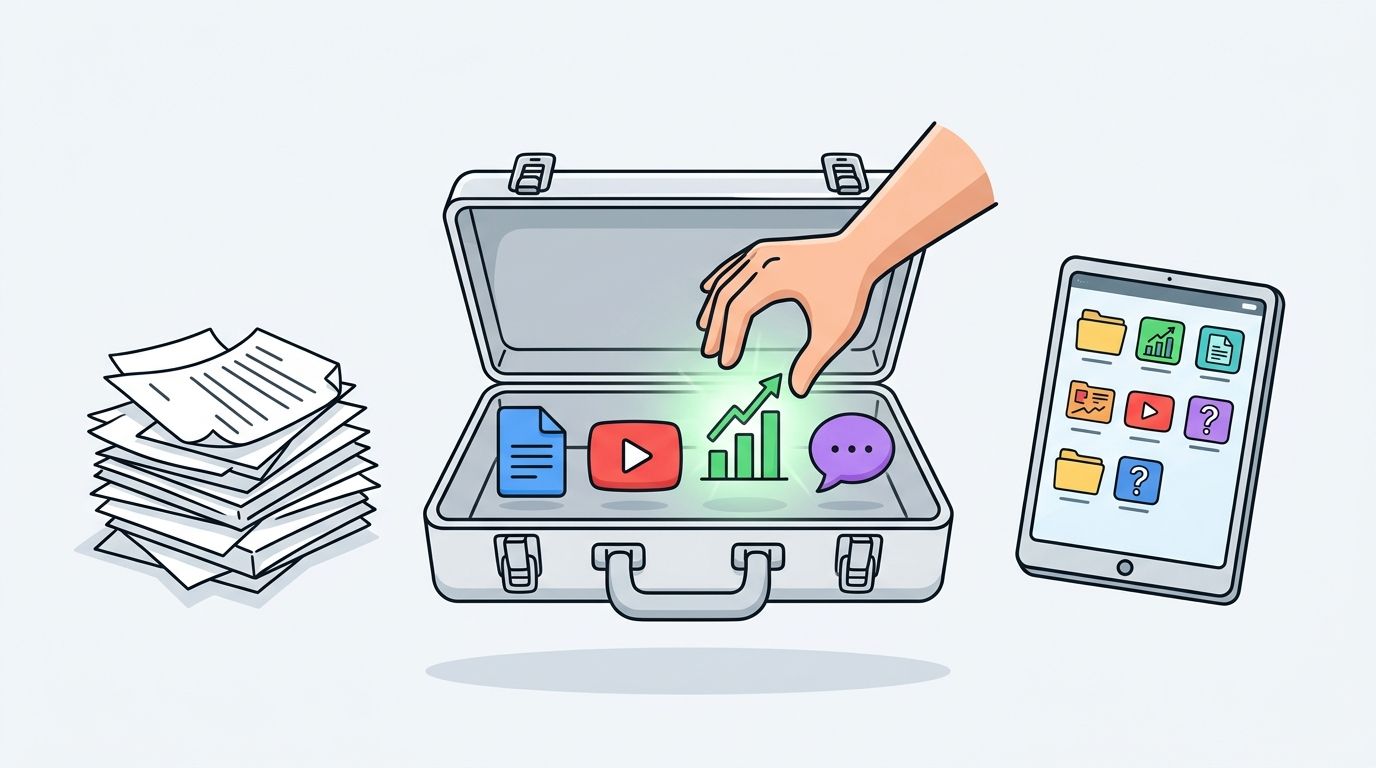
High-performing sales enablement content works as a mixed asset system. It combines concise one-pagers and datasheets for quick evaluation, battlecards for objection handling, and proof-driven assets like case studies or demo videos for credibility and momentum, as outlined in Dock's guide to sales enablement content strategy.
Think in jobs, not formats
Most SMB content libraries are organized by file type. There's a folder for decks, one for PDFs, one for videos, and one for “misc.” That's convenient for marketing. It's not useful for sales.
Reps think in questions:
- What do I send after a discovery call?
- What helps when legal or procurement gets involved?
- What asset supports this specific objection?
- What can a champion forward internally?
That's how your library should be built. Every asset needs a job.
Essential Sales Enablement Content Types and Their Roles
| Content Type | Primary Sales Use Case | Buyer Stage |
|---|---|---|
| One-pager | Quick overview for first follow-up or stakeholder forwarding | Early evaluation |
| Datasheet | Technical clarification and feature validation | Consideration |
| Battlecard | Competitive framing and objection handling | Consideration to decision |
| Case study | Proof that the solution works in a similar scenario | Consideration |
| Demo video | Asynchronous product education | Consideration |
| Sales script or call outline | Message consistency during live conversations | Early outreach to discovery |
| FAQ sheet | Fast answers to recurring product, pricing, or implementation questions | Consideration to decision |
| Playbook | Internal guidance for reps on what to send, say, and do by stage | Internal enablement across stages |
A library like this doesn't need to be large. It needs to be complete enough to cover the main conversations reps have.
The minimum viable library for an SMB
If you're starting from scratch, don't try to build everything at once. Build the smallest set that supports the most common motions.
Start with:
- A company one-pager that explains who you help, what problem you solve, and why buyers should care.
- A product or solution datasheet for technical evaluators.
- One strong case study tied to your most common use case. If you need help structuring one, this guide on how to create case studies is a practical starting point.
- A battlecard with the top objections and approved responses.
- A short demo asset that a buyer can watch without booking another meeting.
A cluttered content library usually signals unclear decisions, not a lack of effort.
What works and what fails
What works is brevity, strong labeling, and clear intended use. Reps want assets that are easy to skim and easy to send. Buyers want content that answers the next question without forcing them through a full brand presentation.
What fails is overproduction. Long decks with no stage-specific purpose get ignored. Generic brochures don't travel well inside buying groups. Beautiful content without a rep use case becomes shelfware.
A high-performing library is judged by utility. If nobody can say when to use an asset, it probably shouldn't exist.
A Framework for Creating Content That Works
Creating sales enablement content without a framework usually produces random acts of marketing. One month it's a deck refresh. Next month it's a new brochure because a rep asked for one. Then someone requests a vertical one-pager, but nobody knows whether the old version was ever used.
The better approach is simple. Build every asset through the same workflow, from need identification through measurement. Sales enablement content performs best when it's mapped to the buyer journey and the sales process, because that mapping exposes gaps by stage, stakeholder, and objection, as explained in SiftHub's guidance on sales enablement content strategy.
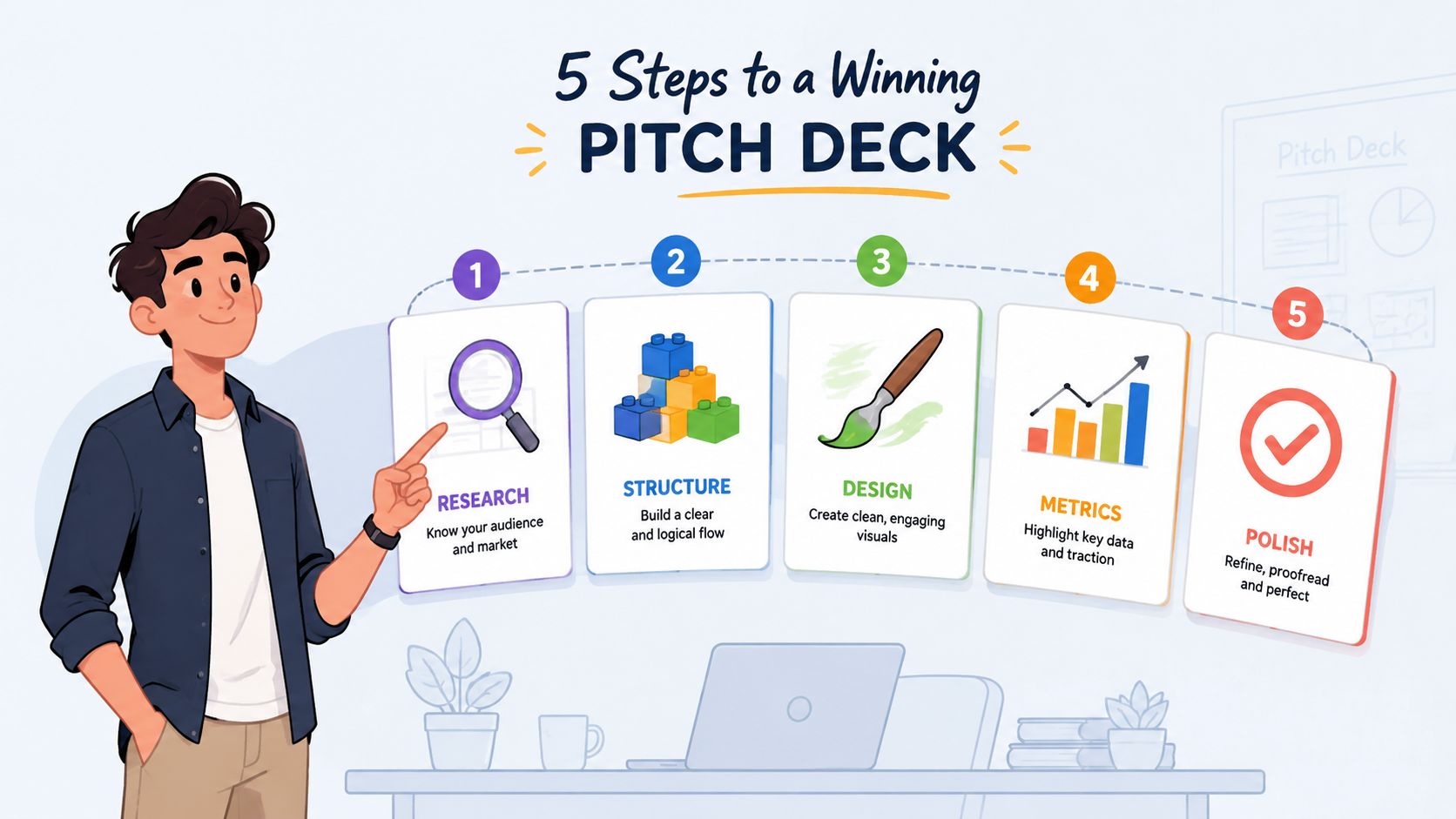
Use a five-step production loop
I use a straightforward model for SMB teams because it forces discipline without adding bureaucracy.
Define the audience and moment
Don't begin with format. Begin with who needs the asset and when. Is this for an AE after discovery? For a founder selling into mid-market accounts? For a buyer champion who needs to explain your product internally?Pin down the decision the asset should support
Good content moves one conversation forward. It doesn't try to do everything. A one-pager should earn the next meeting. A battlecard should help a rep answer a specific objection. A case study should reduce perceived risk.Draft the message before design
Most weak assets have a design problem only on the surface. Underneath, they have a message problem. Write the talk track first. Distill key proof points, objections, and claims into plain language. Then turn that message into the right format.
Before moving into production, it helps to see the workflow visually:
Build review into the process
A lot of teams review content too late. Design gets polished, then sales says it won't help on calls. That's expensive and avoidable.
Use a light review structure:
- Sales review: Does this match real objections and buyer language?
- Marketing review: Is the positioning consistent with the current narrative?
- Product review: Is anything technically misleading or outdated?
- Owner sign-off: Who is responsible for keeping this asset current?
If you need a template-driven starting point for training and rollout, this VideoLearningAI sales enablement resource can help standardize how reps learn to use the materials after they're created.
Publish with usage instructions
Every finished asset should ship with a short internal note. I'd include:
- Best-use moment: after discovery, before demo, during procurement, and so on
- Target audience: champion, technical evaluator, executive buyer
- Approved customization: what reps may edit and what they shouldn't touch
- Review date: when the asset must be checked for relevance
The asset is only half the deliverable. The other half is telling reps when to use it.
That's the difference between content production and an actual enablement workflow. Production makes files. Enablement makes files usable.
Getting the Right Content to the Right Rep
Most content problems are retrieval problems. Teams spend months producing assets, then leave distribution to chance. Reps search in Google Drive, ask around in Slack, or rely on whatever is already saved on their laptop. The result is predictable. Old files circulate, good assets disappear, and marketing assumes sales ignored the work.
The fix is a single source of truth with lightweight governance. For most SMBs, that can be Google Drive, SharePoint, Notion, or a basic enablement platform if budget allows. The tool matters less than the operating rules.
Organize the library around rep behavior
Don't create a folder tree that makes sense only to the marketing team. Create one that mirrors how sales works in the field.
A practical structure looks like this:
- By sales stage: discovery, evaluation, decision, expansion
- By use case: competitor response, pricing discussion, security review, stakeholder alignment
- By asset type: one-pagers, case studies, battlecards, demos
- By audience: champion, technical buyer, executive buyer
This isn't about adding complexity. It's about reducing search friction. Reps should be able to filter by stage and use case first, then pick the format that fits.
If your team is also cleaning up where and how assets get shared, this overview of content distribution channels is useful because distribution decisions affect internal adoption just as much as external reach.
Add metadata, not just folders
Folders alone won't save you once the library grows. Every asset should have a simple naming and tagging standard. For example:
- Asset name
- Buyer stage
- Audience
- Product line or solution
- Owner
- Last review date
- Status, such as active, needs update, archived
That may sound administrative, but it's what keeps the library from collapsing six months later.
Reps don't need more content choices. They need fewer wrong ones.
Build version control and retirement into the system
A content engine isn't just about publishing. It's also about removal.
SMB teams often create new assets but fail to archive old ones. Then sales keeps using the outdated material because it's what they already know. Every active asset should have one current version, one owner, and one place where it lives. If a file is replaced, the old version should be archived or clearly marked as retired.
A simple operating rhythm works well:
- Weekly: collect requests from sales and flag broken or missing assets
- Monthly: review top-used assets for freshness and message accuracy
- Quarterly: archive outdated materials and clean the library structure
Create a feedback loop that sales will actually use
Don't ask reps for broad input like “Any content ideas?” Ask narrower questions:
- What question came up this week that you couldn't answer well with current content?
- Which asset helped move a deal forward?
- Which asset did you avoid because it felt too long, too generic, or outdated?
- What do buyers ask for after the first or second call?
Those prompts generate better requests and better content briefs. They also keep your content system grounded in live deal reality instead of internal assumptions.
Measuring Content Performance and ROI
The hardest question in sales enablement content isn't what to create. It's whether the content is doing anything useful. That's where a lot of programs lose executive trust. Teams report views, downloads, and asset counts, but leadership wants to know whether content is helping reps win.
A better answer starts with a tiered measurement model. Don't jump straight to perfect attribution. Measure adoption first, then engagement, then business impact.

A major industry report summarized in 2026 found that when sales enablement was effective, organizations reported improvements in content adoption (50%), quota attainment (43.1%), win rate (42.2%), and revenue generated (37.9%), as summarized in this sales enablement statistics review. That matters because it ties enablement to commercial outcomes, not just training activity or content volume.
Tier one measures adoption
This is your baseline. If reps aren't using the content, nothing else matters.
Track:
- Rep usage: which assets are opened, shared, or pitched
- Coverage: whether each key stage and use case has at least one active asset
- Freshness: whether high-use assets are current and approved
- Findability: whether reps can consistently access the right version
These are the first metrics I'd put on a dashboard for an SMB. They're practical and usually available even without specialized tooling.
Tier two looks at engagement
Once reps are using the content, the next question is whether buyers are interacting with it in ways that suggest relevance.
Useful indicators include:
- Buyer views
- Downloads
- Viewing time
- Shares among stakeholders
- Which assets are used in deals that keep moving
If you want a clear breakdown of which indicators belong on that dashboard, this guide to content performance metrics is a useful companion.
Tier three connects to business impact
Teams often overpromise. They try to prove that one specific PDF caused a closed deal. In real buying journeys, that's rarely credible.
A more practical standard is to look for influence and correlation:
| Measurement Tier | What You're Asking | What To Do With It |
|---|---|---|
| Activity | Are reps using the asset? | Fix discoverability, naming, and training |
| Engagement | Are buyers interacting with it? | Improve relevance, clarity, and stage fit |
| Business impact | Does usage align with better outcomes? | Double down on assets linked to faster movement and stronger conversion |
Don't let attribution become a stall tactic
Proving direct causation is difficult, especially in environments with multiple stakeholders, several touches, and AI-assisted content retrieval. The practical move is to compare outcomes around usage patterns. Look at whether certain assets tend to appear in deals with better velocity, cleaner progression, or stronger close rates. That won't give you courtroom-grade proof, but it will give leadership something operationally useful.
Good measurement answers, “Is this helping enough to keep investing?” It doesn't need to answer every theoretical attribution question.
For SMBs, this is the right level of rigor. Start with the data you can collect consistently. Build confidence through patterns. Then improve your tracking once the system proves its value.
Start Building Your Sales Enablement Engine Today
Sales enablement content works when you treat it like an operating system, not a file cabinet. The engine is straightforward. Create fewer assets, tie each one to a specific sales moment, store everything in one trusted location, and measure whether reps use it and whether deals move more effectively when they do.
That approach is especially important for SMBs because resources are tight. You don't have time to produce content nobody touches. You also don't need an enterprise-scale program to get real traction. A lean library with clear ownership and a consistent review cycle will outperform a sprawling repository full of outdated collateral.
Three moves to make this week
If you want momentum fast, start here:
Interview one strong rep and one newer rep
Ask what they send most often, what they can never find, and what buyers repeatedly request.Audit your five most-used sales assets
Check whether each one is current, easy to locate, and mapped to a clear buyer stage or objection.Create a central sales content hub
Use the tool your team already works in. Add naming rules, ownership, and an archive folder from day one.
Aim for directional proof, not perfect proof
One reason teams delay this work is measurement anxiety. They assume they need flawless attribution before they can justify the effort. That's the wrong standard.
Direct causation between a single asset and a closed deal is notoriously hard to prove, especially as AI-assisted search and multi-touch buyer journeys become normal, as discussed in Highspot's analysis of sales enablement content strategy. The better approach is to measure influence, correlation with deal velocity, and alignment with win rates.
That's enough to make smarter decisions. It's enough to know what to refresh, what to retire, and what to build next. And for most SMBs, that's what moves the needle.
If your team needs help turning scattered content into a usable sales enablement system, ReachLabs.ai can help you build the strategy, messaging, and content operations behind it. From case studies and one-pagers to distribution workflows and performance tracking, they support the full engine so your sales team gets content they'll actually use.