The fastest way to reframe photography for companies is to stop calling it a creative line item and start calling it commercial infrastructure.
That sounds dramatic until you look at the size of the market. The U.S. photography industry generated $12.9 billion in revenue in 2023, and IBISWorld estimates it at $15.8 billion in 2025 according to this photography industry market summary. Companies don't spend into a market that large because they want prettier websites. They spend because images shape trust, clarify offers, support sales, and feed the channels that drive revenue.
Most businesses still handle photography like a one-off event. They book a shoot, approve a few favorites, post them for a month, and then wonder why the asset library feels stale again. That's the wrong model. Strong photography for companies works more like a system. It supports campaigns, product pages, social posts, investor decks, recruiting, events, and outbound sales at the same time.
A better question isn't "Do we need photos?" It's "Which images move buyers closer to action, and how do we produce them consistently?" If you want examples of how visual narratives support that process, these photo story examples are useful because they show how sequences of images can carry a business message, not just decorate a page.
Why Strategic Photography is a Competitive Advantage
A company with average visuals rarely looks average to itself. Internally, people know the product, trust the team, and understand the value. Externally, buyers only see signals. Photography is one of the strongest signals you control.
Buyers judge faster than your copy can explain
A prospect lands on your homepage, product page, LinkedIn profile, or event recap. Before they read the body copy, they absorb the visual cues. Are the images generic or specific? Do they show real people, real products, real environments, and real proof? Or do they look like placeholders any competitor could use?
That gap matters. Strategic photography for companies creates evidence. It shows that your team exists, your product is real, your process is credible, and your brand has standards.
For brand-led organizations, photography helps shape perception. For demand-focused teams, it affects the pages and campaigns where conversion happens. The same asset can do both jobs if it's planned correctly.
Practical rule: If an image doesn't support trust, clarity, or action, it's decoration.
Photography works best when tied to a business use case
The companies that get the most value from photography don't start with mood boards alone. They start with business questions.
- Lead generation: What images will make landing pages, lead magnets, and paid social feel more credible?
- Sales enablement: What visuals help reps explain the offer in decks, proposals, and follow-up emails?
- Brand trust: Which images prove you are who you say you are?
- Recruiting: What does a candidate see when they check your team page or LinkedIn presence?
- Event visibility: How will you document launches, conferences, and internal milestones in a way that extends their value after the day ends?
For teams planning event coverage, this guide to capturing brand moments is a strong reminder that the goal isn't just documenting attendance. It's preserving usable content that carries the brand beyond the room.
The edge isn't just image quality
Almost every company can now produce decent-looking images. Smartphones raised the baseline. AI raised the volume. Stock libraries raised convenience.
The edge now comes from relevance and consistency.
A strategic photography program does three things that ad hoc shooting doesn't:
- It maps images to channels. Website, ads, email, sales decks, PR, recruiting, and social each need different framing and formats.
- It builds repeatability. Teams know what to shoot, how to shoot it, and where to use it.
- It creates measurable output. Creative choices can be reviewed against performance, not just personal preference.
That's why photography for companies belongs inside the marketing operating model, not on the edge of it.
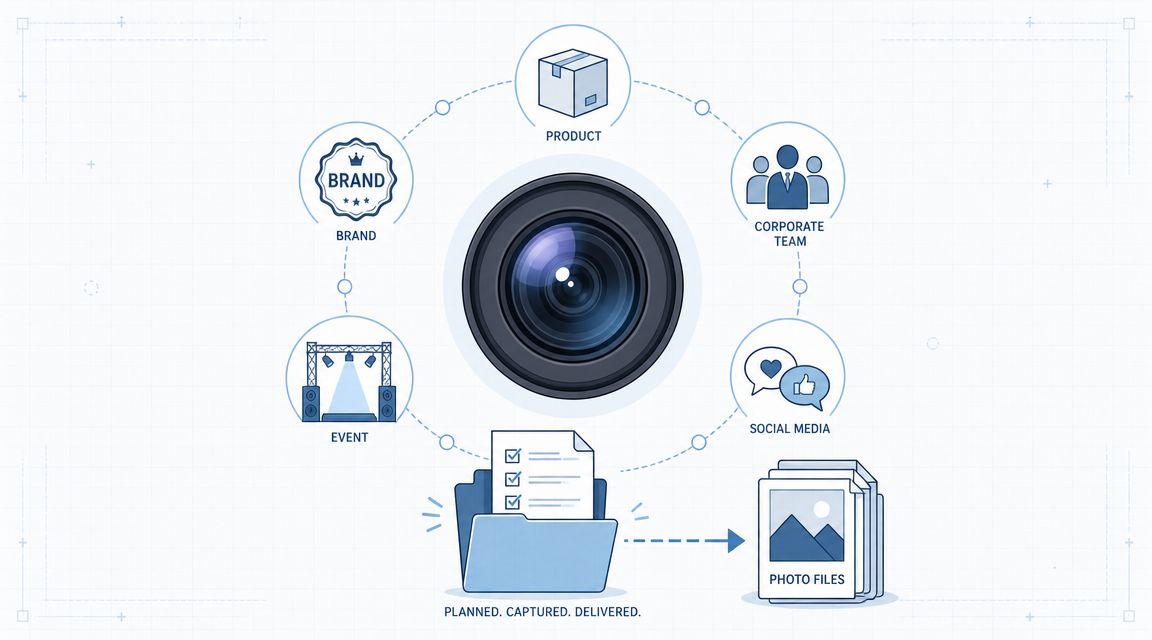
The Five Essential Types of Company Photography
Most companies don't need "more photos." They need the right mix of photo types for the jobs their marketing and sales teams need done.

Brand photography
Brand photography carries the emotional and strategic layer of the business. It isn't just a founder smiling at the camera or a stylish office shot. It communicates tone, positioning, and point of view.
Use it when the goal is to make the company feel distinct. Homepage hero images, about pages, campaign visuals, keynote slides, and press kits all benefit from this category.
The strongest brand photography usually answers one of these questions:
- Who are we
- What do we stand for
- How should people feel when they interact with us
If the brand says "premium," the photography can't look rushed. If the brand says "approachable," the imagery can't feel cold and overproduced.
Product photography
This is the most technical category because it has the least room for ambiguity. Buyers need to see the product clearly. Internal teams need consistency across pages and campaigns. Designers need files that crop cleanly. Marketplace listings need visual accuracy.
For e-commerce, the capture settings matter. A product photography workflow for e-commerce commonly recommends a small aperture such as f/11 or f/16 to keep the full product sharp, low ISO around ISO 100 to reduce noise, white balance matched to the light source, and RAW capture for editing flexibility.
That technical discipline has business value. It reduces post-production issues, protects color accuracy, and makes it easier to reuse assets across product pages, catalogs, ads, and marketplaces.
Clean product photos don't win because they're artistic. They win because they remove friction.
Corporate headshots
Headshots often get treated as a small HR task. They're not. They affect executive presence, sales credibility, recruiting, speaking opportunities, media coverage, and LinkedIn performance.
A weak headshot creates an immediate mismatch between how serious a company says it is and how polished its people appear online. A strong headshot set does the opposite. It creates consistency across leadership, customer-facing teams, and employer brand touchpoints.
The key isn't making everyone look identical. It's creating a shared visual standard.
Event coverage
Event photography captures proof of activity. Conferences, launches, customer dinners, partner events, workshops, and internal offsites all produce content that can extend far beyond the day itself.
The useful frames are rarely just stage shots. Teams need speaker moments, attendee interactions, branded details, candid networking, venue context, and post-event recap material that marketing can publish quickly.
Event coverage is one of the most impactful categories because one day of shooting can feed social content, PR, internal communications, sponsor recaps, and future event promotion.
Lifestyle and in-use photography
Products, people, and context unite. Lifestyle photography displays the offer in authentic settings. It helps buyers imagine ownership, usage, and fit.
For software, that may mean team members working in realistic environments. For consumer brands, it may mean the product in the hands of the target customer. For service firms, it may mean staged but believable moments of collaboration, delivery, or consultation.
A simple way to separate the five types is this short grid:
| Type | Primary job | Best use |
|---|---|---|
| Brand | Shape perception | Homepages, campaigns, PR |
| Product | Show accuracy | E-commerce, catalogs, ads |
| Headshots | Build personal credibility | Team pages, LinkedIn, media |
| Event | Prove momentum | Recaps, social, sponsor reports |
| Lifestyle | Show real-world use | Paid media, landing pages, social |
Most companies need all five. They just don't need them in equal volume.
How to Create an Effective Photoshoot Brief
The brief is where photography for companies either becomes a system or stays a guessing game. If the brief is vague, everyone fills in the blanks differently. The marketer imagines campaign assets. The photographer imagines a portfolio piece. The founder imagines "something premium." That mismatch causes reshoots, delays, and weak output.

A solid brief forces alignment before the camera comes out. If your team needs help building one, this guide on how to write a creative brief is a practical starting point.
Start with outcomes, not aesthetics
Most weak briefs open with style language. Words like modern, clean, bold, authentic, elevated. Those terms aren't useless, but they don't tell the crew what success looks like.
Start with the business objective instead.
- Campaign support: Are these images for a launch, a seasonal push, or an evergreen brand refresh?
- Conversion support: Will they live on landing pages, product pages, or paid ads?
- Sales support: Are they meant for decks, proposals, outbound sequences, or case-study pages?
- Trust support: Are you documenting executives, teams, facilities, or operations?
When the objective is clear, creative choices become easier to evaluate.
A good brief tells the team what the image has to do, not just how it should look.
Define the technical standards early
For company photography, the repeatable part matters. The technical stack for consistent brand output centers on exposure, focal length, composition, and white balance, as explained in this overview of the core technical aspects of photography. That's why a brief shouldn't stop at references and mood.
It should specify the standards the team will protect across the shoot.
A useful brief covers:
- Exposure expectations so images aren't too dark, too flat, or blown out in high-value detail areas.
- Focal length preferences because lens choice changes how people, products, and spaces feel.
- Composition rules such as negative space for website banners, vertical crops for social, and tighter framing for ads.
- White balance requirements so skin tones, office lighting, and brand colors stay believable and consistent.
Those details turn photography into a repeatable imaging pipeline instead of a collection of isolated shots.
Later in the planning process, it helps to align the team visually. This walkthrough is useful for that stage:
Build the shot list like an operator
The shot list is the execution layer of the brief. In this layer, many teams either overcomplicate things or stay too vague to be useful.
The best shot lists combine precision with flexibility.
Include fixed needs
- Homepage assets: Wide hero shots with negative space for text overlays
- Leadership portraits: Horizontal and vertical versions
- Team candids: Collaboration, meetings, individual focus
- Environment shots: Office, facility, storefront, production floor
- Detail images: Tools, packaging, screens, branded objects
Include channel notes
- Website: Spacious, clean compositions, room for copy
- LinkedIn: Personal, credible, less polished than ad creative
- Paid ads: Tight framing, stronger focal points
- Email: Crops that survive mobile layouts
- PR and media: Neutral backgrounds and simple licensing clarity
Include logistics
- Locations
- Talent or staff involved
- Wardrobe direction
- Props
- Timing by scene
- Approver on set
A brief isn't complete until someone can answer three practical questions without debate: what has to be captured, where it will be used, and what "done" looks like.
Choosing Your Production Model In-House vs Agency
The right production model depends less on ideology and more on workflow. Some teams need instant access to a camera and editor every week. Others need senior creative direction, specialist crew, and occasional bursts of production. That's why the in-house versus agency decision should be made like an operating choice, not a branding statement.
For a broader view of that trade-off across marketing functions, this breakdown of marketing agency vs in-house is helpful.
The side-by-side decision
| Factor | In-House Team | Agency/Freelancer |
|---|---|---|
| Cost structure | Ongoing payroll, equipment, software, management overhead | Project or retainer fees, less fixed overhead |
| Speed | Faster for recurring needs and reactive shoots | Faster for large launches if they already have crew |
| Brand familiarity | Deep knowledge of the business and people | Takes onboarding, but can bring outside perspective |
| Specialization | Great for repeatable formats | Better for niche skills, larger sets, and complex productions |
| Scalability | Limited by team bandwidth | Easier to scale up or add specialists |
| Process control | High control over approvals and storage | Stronger if the agency has disciplined production workflows |
When in-house wins
In-house photography works best when the company has constant demand and a narrow set of recurring formats. Think ecommerce catalogs, weekly social production, ongoing executive content, event recaps, or product updates.
The advantage is speed and context. Internal teams know the brand, the stakeholders, the products, and the approval process. They can produce on shorter notice and often repurpose assets faster because they sit closer to the channels using them.
But in-house setups usually struggle when the work requires a wider creative range than the team can support. The same person often ends up acting as photographer, producer, retoucher, asset manager, and strategist. That's where quality starts to flatten.
When agency or freelancer wins
External partners make sense when the work is intermittent, highly specialized, or strategically important enough to justify extra production rigor.
That includes:
- Major rebrands
- Launch campaigns
- Executive portraiture
- Complex product shoots
- Multi-location productions
- Large event coverage
Agencies and specialist freelancers also tend to bring stronger pre-production discipline. They usually have a cleaner process for crew booking, call sheets, styling, lighting setups, and delivery standards.
The wrong model isn't in-house or agency. It's choosing one model for every type of photography need.
A hybrid model is often the strongest option
Many companies do best with a split system. They keep recurring content production close to the team and outsource high-stakes or technically demanding shoots.
A practical version looks like this:
- In-house handles routine content, quick-turn headshots, social assets, internal events
- External partners handle campaign libraries, hero imagery, flagship launches, advanced retouching, and specialized product work
That model keeps costs flexible while protecting quality where it matters most.
Managing and Distributing Your Visual Assets
A photoshoot creates potential. Asset management creates value. If the files end up scattered across Dropbox folders, Slack threads, hard drives, and old agency links, the company pays for photography once and then keeps paying for the same confusion.

Treat your library like an operating system
A proper Digital Asset Management system, or DAM, becomes the source of truth for photography for companies. Whether you use a formal DAM platform or a disciplined cloud structure, the principle is the same. Every approved image should be easy to find, understand, crop, and deploy.
The minimum structure should include:
- Campaign or shoot date
- Asset type
- Usage rights
- Subject or product name
- Orientation
- Approved status
- Channel fit
That tagging discipline is what makes repurposing possible. Without it, teams waste time asking basic questions like "Do we have a vertical version?" or "Can we use this in paid social?" or "Which executive photo is current?"
Build assets for reuse, not single use
Strong visual teams don't think in terms of one final image. They think in terms of an asset family.
One shoot can produce:
- Hero banners for the website
- Tight crops for ad creative
- Vertical edits for Stories and Reels covers
- Team images for recruiting pages
- Speaker photos for conference bios
- Slides for sales decks
- Behind-the-scenes frames for organic social
Production planning pays off. If the team captures enough variety in framing, orientation, and context, a single shoot can feed multiple channels without looking repetitive.
For event-heavy teams, the operational challenge often isn't taking the photos. It's distributing them cleanly afterward. If you're trying to resolve messy event photo sharing, that resource shows why post-event access and organization become a real workflow issue once multiple stakeholders need the files.
Use custom, stock, and AI with intention
The visual mix has changed. The question isn't whether AI or stock exists. It's which jobs should each option handle.
According to this summary on opportunities in the photography business, 65% of organizations were regularly using generative AI in McKinsey's 2024 survey, nearly double the prior year. The useful implication isn't "replace all photography." It's that companies should reserve custom photography for high-trust, high-differentiation assets like executive portraits, product proof, facilities, and workplace culture.
That leads to a practical asset model:
| Asset need | Best source |
|---|---|
| Executive credibility | Custom photography |
| Product proof | Custom photography |
| Real team and workplace imagery | Custom photography |
| Generic concept visuals | Stock or AI |
| Fast filler content for low-stakes posts | Stock or AI |
| Regulated, trust-heavy claims | Custom photography |
Use real photography where authenticity carries risk or revenue. Use synthetic or stock visuals where scale matters more than proof.
That approach protects budget without weakening trust.
Measuring the ROI of Your Photography
Businesses often evaluate photography with subjective language. "Looks premium." "Feels on-brand." "The founder likes it." None of that helps when budget scrutiny arrives.

The pressure to prove value is real. Adobe's 2024 Digital Trends report found that 65% of senior marketers said demonstrating ROI is a top challenge, as cited in this discussion of photo ROI and performance thinking. The practical answer is to treat photography as performance infrastructure and test it the same way you test copy, headlines, offers, and landing page layouts.
Every image needs a job
The easiest way to measure photography is to assign each asset a primary purpose before launch.
A photo might be responsible for:
- Improving click-through on an ad
- Increasing trust on a service page
- Supporting add-to-cart behavior on a product page
- Raising engagement on LinkedIn
- Helping sales decks land more clearly
- Improving event recap reach or recruiting visibility
If you can't name the job, you probably can't measure the result.
Track business metrics, not applause
Vanity reactions are easy to collect. Business signals are harder, but they're the only ones that matter.
Use a simple scorecard around these areas:
Conversion metrics
- Landing page conversion rate
- Product page performance
- Lead form completion
- Demo request rate
Channel performance
- Ad click-through behavior
- Email engagement
- Organic social engagement quality
- Time on page for image-led pages
Sales enablement
- Deck usage by reps
- Response quality after visual updates
- Consistency across proposals and follow-up materials
Operational efficiency
- How often assets are reused
- How quickly teams can find approved files
- Whether reshoots decrease over time
The operational layer matters more than many teams realize. A better image library doesn't just improve campaign output. It cuts wasted time across design, marketing, sales, and executive teams.
Run controlled tests where the image is the variable
You don't need a complex attribution model to get useful answers. Start with controlled comparisons.
Test one variable at a time:
- Swap stock imagery for custom photography on a landing page.
- Test two product image sets in paid social with the same copy and audience.
- Compare old headshots versus updated team photos on leadership and about pages.
- Test different hero images on a service page while leaving the headline unchanged.
The point isn't to prove that photography works in the abstract. The point is to learn which kinds of images perform best in which buying context.
Creative preference should come after evidence. Not before it.
Once you work this way, photography stops being hard to justify. It becomes easier to budget because it's attached to channel outcomes and operational use, not taste alone.
Navigating Legal and Accessibility Requirements
The fastest way to create hidden risk with photography for companies is to assume that file access equals usage rights. It doesn't. If the legal basics aren't handled properly, good creative work can become a compliance problem.
Licensing and usage rights
Every company needs clarity on what it's buying. That means knowing whether the image is custom commissioned, stock licensed, or created under a contractor agreement with specific terms.
Review these points before publishing:
- Usage scope: Where can the image appear, such as web, social, ads, print, PR, or packaging
- Duration: Is the license perpetual or time-limited
- Territory: Are there geographic restrictions
- Modification rights: Can the team crop, retouch, or reuse the image in derivative assets
- Exclusivity: Can the creator license similar work elsewhere
For custom shoots, put those terms in writing before production starts. For stock assets, make sure the license covers the intended use case.
Releases and approvals
If a recognizable person appears in an image, the business should know whether a model release is required for the planned usage. If private property, branded environments, or customer spaces appear, a property release may also matter.
Companies often get sloppy with event photography, workplace imagery, and casual behind-the-scenes content. Internal familiarity creates false confidence. The team knows the people in the photo, so they assume consent is implied. That's not a reliable operating standard.
A clean internal checklist usually includes:
- Who appears in the image
- What usage is planned
- Whether a signed release exists
- Who approved final selection
- Whether any client, partner, or third-party brand appears in frame
Accessibility isn't optional
Alt text is often treated like an SEO afterthought. It isn't. It's part of making your content usable for people who rely on screen readers and other assistive technology.
Good alt text describes the image's purpose in context. It doesn't stuff keywords or repeat surrounding copy. If the image is functional, describe what matters. If it's decorative, the handling should reflect that in your publishing workflow.
For teams that need a straightforward reference, this WebAbility.io alt text guide gives a useful plain-language explanation of what alt text is for and how to think about it.
Accessibility work gets stronger when marketers write alt text for meaning, not for search engines.
Legal and accessibility requirements aren't the glamorous part of photography. They're the part that makes the work publishable, reusable, and safe to scale.
ReachLabs.ai helps brands build marketing systems where creative work supports pipeline, trust, and growth. If your team needs a clearer strategy for photography, content operations, and performance-driven brand execution, ReachLabs.ai is worth exploring.