You launch a campaign, traffic climbs, and the dashboard looks busy. Then you check revenue and nothing meaningful has changed.
That’s the point where most store owners start chasing random fixes. They swap a hero image, install another app, rewrite a few product descriptions, or ask a developer to “speed things up.” A month later, the store is more complicated, the reporting is messier, and sales are still flat.
The problem usually isn’t lack of effort. It’s that the business is treating ecommerce optimization like a pile of unrelated tasks instead of one connected operating system.
A healthy store works like a good retail floor. The front window gets attention. The layout helps people find what they came for. Staff answers questions fast. The checkout doesn’t create doubt. Inventory supports the promotion. When one part breaks, the rest feel it. Ecommerce optimization services should work the same way.
If you need a strong primer on how traffic quality and on-site performance connect, this SEO and conversion optimization guide is a useful companion read. It helps frame the difference between getting visits and getting results.
Your Store Has Traffic But Sales Are Flat Now What
A common pattern shows up after a business starts investing seriously in ads, SEO, email, or social. Sessions go up. Add-to-cart activity might even rise. But checkout completion stays soft, repeat purchase is inconsistent, and the owner starts wondering whether the traffic itself is bad.
Sometimes traffic is the issue. More often, the store has friction in the middle of the buying journey.
What flat sales usually mean
If people are reaching your site but not buying, one of a few things is happening:
- The promise doesn’t match the page. The ad or search listing says one thing, and the landing page creates confusion.
- The store feels harder to use than it should. Navigation, product filtering, mobile layout, or checkout steps create hesitation.
- Trust breaks at the wrong moment. Shipping details, returns, delivery timing, or payment clarity are buried.
- Operations can’t support the campaign. The promotion works, but inventory, support, or fulfillment can’t keep up.
This is why ecommerce optimization services matter. They don’t just “improve the website.” They remove the leaks between attention and purchase.
Practical rule: If traffic rises and revenue doesn’t, stop buying more visits until you understand where customers are dropping out.
The shift that helps
The useful question isn’t “What should we change on the site?” It’s “Where does the buying process break?”
That changes the work. You stop guessing and start tracing the customer path from first click to order confirmation. You check search intent, landing pages, collection page usability, product page clarity, checkout flow, post-purchase messaging, and the systems behind the storefront.
That’s optimization in the true sense. Not cosmetic change. Not isolated hacks. A business process designed to turn more of the demand you already paid for into sales.
Thinking Beyond Tweaks What Are Optimization Services
Ecommerce optimization services are the ongoing work of improving how an online store attracts, guides, converts, and retains buyers. That includes front-end experience, technical performance, analytics, merchandising, and the systems sitting behind the store.
A lot of businesses hear “optimization” and think minor repairs. Fix a button color. Compress a few images. Clean up a broken page. Those things matter, but they’re only fragments.
Think of the whole drive, not the last turn
The easiest way to understand this is to picture a customer driving to a physical store.
The highway exit is your ad, email, or search result. The road signs are your category pages and navigation. The parking lot is page load speed and mobile usability. The storefront is your landing page. The aisles are your site structure and product discovery. The salesperson is your support flow or chatbot. The checkout counter is, obviously, checkout.
If the cash register works but the parking lot is a mess, people still leave. If the aisles are confusing, shoppers don’t reach the counter. If the salesperson gives vague answers, confidence drops.
That’s why optimization has to be coordinated.

What good optimization services include
A real optimization program usually covers:
- Customer journey analysis: Reviewing where buyers enter, where they stall, and where intent changes.
- Storefront improvements: Landing pages, product detail pages, collection pages, internal search, and checkout.
- Technical work: Speed, mobile rendering, app bloat, script conflicts, schema, tracking integrity.
- Merchandising logic: Product recommendations, bundling, filtering, upsells, inventory-aware promotion.
- Measurement: Dashboards, event tracking, attribution cleanup, and testing discipline.
For many teams, customer experience is where the blind spot starts. This guide on how to boost your ecommerce customer experience is useful because it focuses on the moments that shape buyer confidence, not just visual polish.
What optimization is not
It’s not a one-time redesign.
It’s not a plugin stack.
It’s not handing paid ads to one vendor, development to another, CRM to another, and hoping they’ll somehow solve the same conversion problem from different directions.
When five vendors touch the same buying journey, nobody owns the outcome.
That’s the trade-off SMBs run into all the time. Specialization sounds smart until a checkout bug, inventory sync issue, and campaign spike all collide on the same day. Then you learn the difference between having vendors and having a system.
The Seven Pillars of Ecommerce Optimization
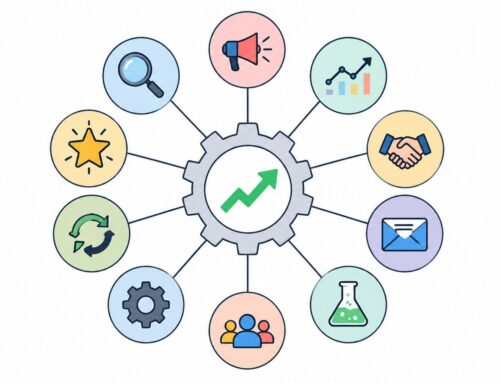
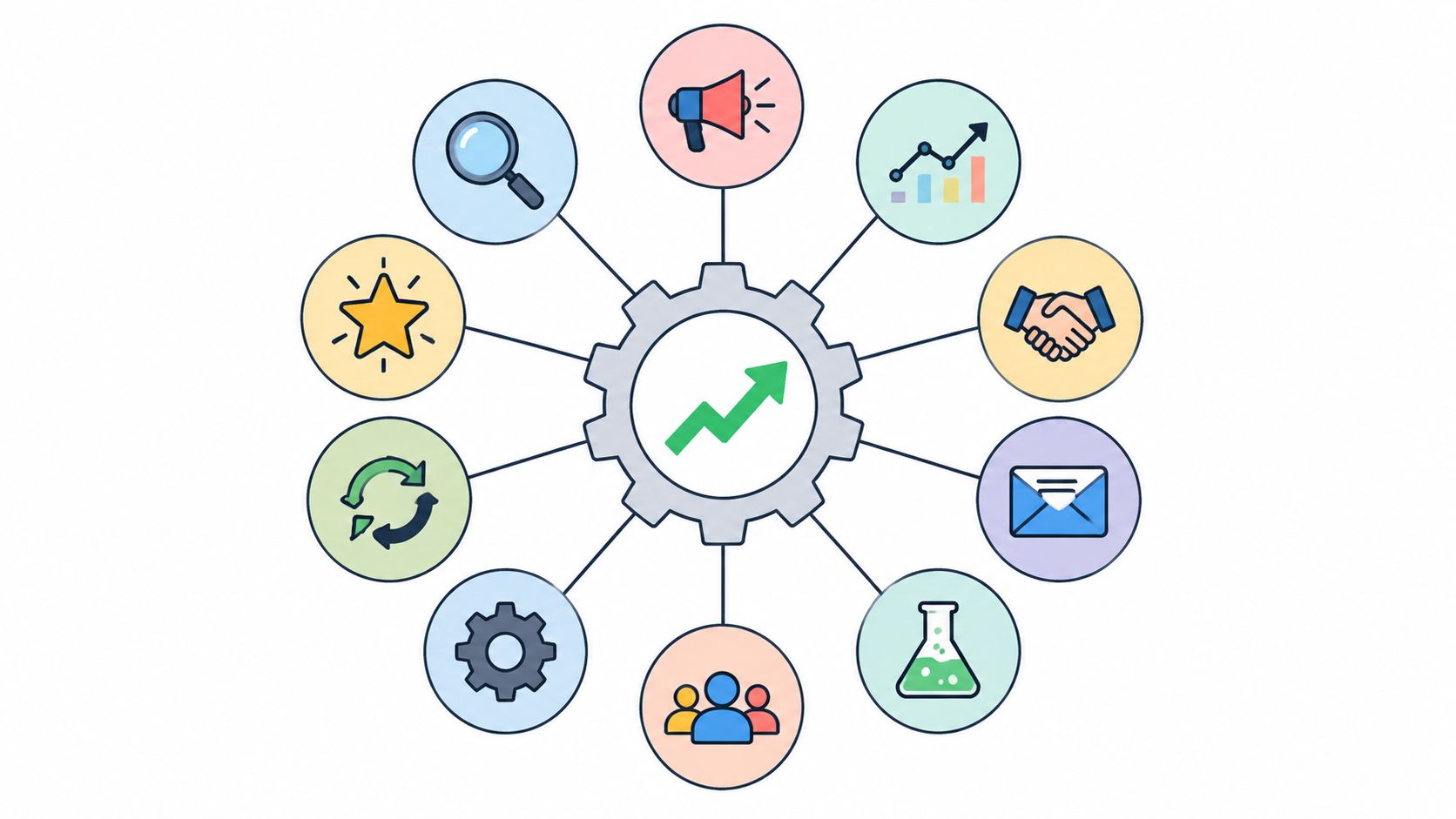
The phrase ecommerce optimization services gets thrown around loosely. In practice, the work sits on seven pillars. When one pillar is weak, the others have to work harder.

Conversion rate optimization
CRO is the discipline of getting more buyers from the traffic you already have. It focuses on friction, persuasion, sequencing, and clarity.
For an SMB, CRO often starts with simple questions. Does the product page answer the buyer’s obvious objections? Is the primary action clear? Are shipping and return policies visible before checkout? Does mobile make the purchase feel easy or cramped?
CRO works best when it’s tied to business context. A high-ticket product needs reassurance. A repeat-purchase item needs speed. A seasonal offer needs urgency without confusion.
User experience and interface design
UX/UI isn’t decoration. It’s decision support.
A polished page can still perform badly if the hierarchy is off. The customer should know what the product is, why it matters, what it costs, how fast it ships, and what to do next within seconds of landing on the page.
Poor UX usually shows up as avoidable hesitation:
- Messy navigation: Too many menu choices, weak category logic, no clear path for shoppers who know what they want.
- Weak product pages: Missing specifications, cluttered layouts, inconsistent variant selectors.
- Mobile friction: Sticky popups, cramped buttons, accordion overload, difficult thumb navigation.
A lot of stores don’t have a traffic problem. They have a “finding and deciding” problem.
Site speed and technical performance
Performance is the floor beneath everything else. If the site drags, every paid click becomes more expensive.
Every second a site loads faster increases conversion rates by 17%, and ecommerce sites that load in 1 second see conversion rates that are 3x higher. M-commerce is projected to account for 44% of all U.S. ecommerce sales in 2025 according to Seoprofy’s ecommerce statistics roundup.
That matters because speed problems rarely look dramatic in a dashboard. They feel like soft abandonment. A shopper taps a category, waits, scrolls, gets interrupted, and never comes back.
The fixes are usually technical but easy to understand. Consider it like clearing clutter from a hallway. Image compression reduces the size of what has to move. Caching keeps common assets ready. A CDN places content closer to the buyer. Script cleanup prevents apps from tripping over each other.
Ecommerce SEO
SEO for ecommerce isn’t just publishing blog content and hoping it ranks. It’s structuring your store so search engines understand what you sell and shoppers land on pages that match intent.
That includes collection page copy, product data, internal linking, schema, and crawlable site architecture. It also includes making sure your most commercially important pages aren’t buried under thin faceted URLs or duplicate variants.
When SEO and conversion teams work separately, one group chases visibility and the other group cleans up the aftermath. The better model is to design pages that can both rank and convert.
If your store needs work on both front-end structure and technical implementation, this overview of ecommerce web design and development is a practical reference: https://www.reachlabs.ai/ecommerce-web-design-development/
Personalization
Personalization is useful when it helps the shopper make a decision faster. It becomes noise when it’s just a widget looking for a reason to exist.
The strongest use cases are usually straightforward:
- Relevant recommendations: Complementary products, replacement cycles, category-based suggestions.
- Behavior-based content: Showing repeat buyers saved preferences or surfacing frequently re-ordered items.
- Support shortcuts: Guiding shoppers to the right answer before they bounce.
The upside can be significant. Shoppers are more likely to buy from brands that provide personalized recommendations, and AI-based recommendation systems have reported up to 3x revenue growth and 2x higher conversion rates according to the verified data provided for this article. The lesson isn’t “turn on AI everywhere.” It’s “use personalization where it reduces buyer effort.”
Analytics and data interpretation
Raw dashboards don’t fix stores. Interpretation does.
A solid analytics setup tells you where people enter, which devices underperform, which product pages leak intent, which checkout steps lose users, and where acquisition quality changes by channel.
The common mistake is tracking too much and acting on too little. Good optimization teams focus on a short list of business-critical signals. They care less about vanity metrics and more about whether the path to purchase is getting cleaner.
A/B and multivariate testing
Testing matters, but not every change deserves a formal experiment.
For high-traffic pages, A/B tests are great for validating major decisions like page layout, messaging order, or checkout flow changes. For lower-traffic stores, too much testing can become theater. You wait months for certainty while obvious friction stays live.
Test the decisions that can change buying behavior. Don’t waste cycles testing trivia.
Multivariate testing has its place, but most SMBs get more value from disciplined hypothesis-driven A/B tests and clean post-launch review.
How the pillars work together
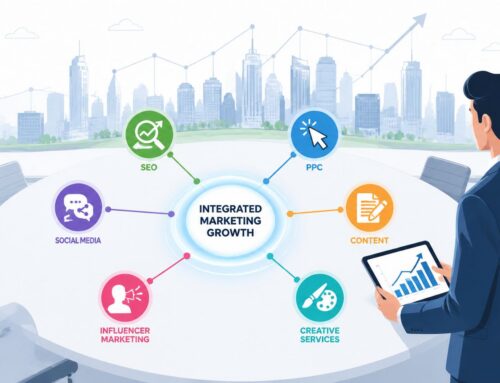
The seven pillars aren’t separate workstreams. They overlap.
A faster page helps paid media convert. Better UX improves SEO engagement. Cleaner analytics sharpen CRO. Personalization depends on sound data. Testing without technical stability creates false readings.
That’s why stores struggle when each pillar belongs to a different specialist with no shared view of the customer journey. Optimization only compounds when the work is connected.
How to Implement a Successful Optimization Process
Strong ecommerce optimization services follow a loop. Not a one-time sprint. Not a redesign binge. A loop.

Start with an audit that connects teams
Most audits are too narrow. Marketing audits traffic. Design audits pages. Dev audits performance. Operations looks at fulfillment later, after the campaign causes trouble.
A useful audit connects those views.
Look at acquisition sources, landing page intent match, mobile behavior, product page engagement, checkout drop-off, support questions, inventory status, and post-purchase issues together. If a promotion pushes a product that’s hard to fulfill, that’s not just an ops problem. It’s an optimization problem.
Build hypotheses before making changes
Once friction points are visible, turn them into hypotheses.
Examples:
- If we simplify the mobile product page, shoppers will reach add-to-cart with less hesitation.
- If we surface shipping and returns earlier, fewer buyers will leave to hunt for policy details.
- If we align promotions with inventory visibility, demand spikes won’t create fulfillment pain.
Random improvement lists create random outcomes. Hypotheses force the team to define what change should happen and why.
Prioritize by business impact
Not everything deserves immediate attention.
Use a simple lens:
| Priority type | What belongs there | Why it matters |
|---|---|---|
| High impact, low effort | Message clarity, page hierarchy, policy visibility, broken events | Fast wins without major rebuilds |
| High impact, medium effort | Checkout changes, collection page UX, recommendation logic | Strong revenue upside |
| High impact, high effort | Platform cleanup, integration fixes, major navigation overhaul | Worth doing, but sequence carefully |
| Low impact | Cosmetic tweaks without evidence | Easy to overvalue |
The discipline here is saying no. Teams often spend weeks polishing low-impact pages while the checkout or mobile PDP still leaks revenue.
Test in controlled moves
Implementation should be incremental enough that you can learn from it.
That doesn’t always mean formal experiments. Sometimes the right move is to roll out a clear fix and monitor behavior. Other times, especially on core pages, structured A/B testing is the safer path.
Later in the process, video walkthroughs can help align teams around what to look for in live testing and user flow review:
Don’t ignore fulfillment when conversion rises
Many growing stores get caught in this situation. The campaign works, but operations weren’t ready.
Predictive analytics can help anticipate customer behavior, and research shows that a single conversion rate spike of 50% can overwhelm supply chains if inventory forecasting isn’t adjusted dynamically according to NetSuite’s ecommerce metrics resource.
That’s a practical warning. Better conversion isn’t automatically better business if the warehouse, customer support queue, or inventory sync breaks under the load.
Field note: A marketing win can become a service failure in less than a week if inventory and campaign planning live in separate silos.
Review and repeat
After the change goes live, review what happened. Not just whether conversion moved, but where else the effect showed up.
Did support tickets drop because product pages answered more questions? Did average order quality improve? Did one channel outperform because the landing page now matched intent better? Did a promoted SKU create stock pressure?
That review feeds the next cycle. Audit, hypothesize, prioritize, implement, review. Good stores keep doing that long after launch.
Measuring Success With Key KPIs and ROI Examples
Optimization has to earn its keep. If the work can’t be tied to commercial outcomes, it turns into subjective debate.
The right KPI set is usually smaller than people think. A handful of clean measures beats a crowded dashboard with no decisions attached to it.
The KPIs that matter
Start with these:
- Conversion rate: The clearest signal that traffic is turning into buyers.
- Average order value: Useful for measuring bundling, upsells, and recommendation quality.
- Cart abandonment rate: A way to spot friction between interest and payment.
- Customer lifetime value: Especially important if the store relies on repeat purchase.
- Return on ad spend: Helpful when judging whether site improvements make paid traffic more profitable.
Each KPI maps to a different part of the store. Conversion rate points to journey friction. AOV reflects merchandising and offer structure. Cart abandonment usually exposes checkout or trust problems. LTV points to retention, product quality, and post-purchase experience.
If you need a clean framework for financial evaluation, this ROI explainer is worth bookmarking: https://www.reachlabs.ai/how-to-calculate-marketing-roi/
One speed issue can erase paid performance
Technical performance belongs in KPI conversations because it has direct revenue implications.
A one-second delay in page load time results in a 7% loss in conversions, and a website generating $100,000 monthly would lose about $7,000 in monthly revenue from that delay according to Mayple’s ecommerce optimization strategies article.
That example is useful because it reframes speed. It’s not a developer vanity metric. It’s a profit metric.
Three practical ROI scenarios
These are not benchmark claims. They’re examples of how to think.
Scenario one
A store is buying qualified traffic from paid search, but mobile conversion is soft. The team finds slow collection pages, oversized images, and a sticky popup blocking product discovery.
The result to watch isn’t just conversion rate. Track bounce behavior on mobile landing pages, add-to-cart progression, and revenue per session from paid traffic. If those improve together, speed work likely paid for itself.
Scenario two
An apparel brand sees strong product page engagement but weak checkout completion. Review shows that shipping details and return expectations appear too late, and coupon-field behavior creates hesitation.
The right KPI mix here is checkout completion rate, cart abandonment, and support tickets tied to shipping or returns. If fewer customers ask the same pre-purchase questions, the page is doing more of the selling.
Scenario three
A repeat-purchase business adds smarter product recommendations and simplifies reordering paths for returning customers.
Now the main lens shifts from first-purchase conversion to AOV and customer lifetime value. If buyers are finding the next logical product more easily and repeat ordering feels simpler, those numbers should reflect it over time.
How to judge whether an optimization program is working
Use a simple scorecard:
| KPI | What improvement suggests | What weak movement may mean |
|---|---|---|
| Conversion rate | Less friction, better message-to-page fit | Traffic quality issue or unresolved trust barrier |
| AOV | Better merchandising, stronger bundles | Irrelevant upsells or poor product pairing |
| Cart abandonment | Cleaner checkout, better trust signals | Hidden fees, forced account creation, weak mobile flow |
| LTV | Stronger retention and repeat experience | Product-market mismatch or weak post-purchase journey |
| ROAS | Site converts paid traffic more efficiently | Media targeting may still be off |
A good optimization partner won’t hide behind one “winning” metric. They’ll show where performance improved, where it didn’t, and what that means for the next decision.
How to Choose The Right Optimization Partner
Most businesses don’t struggle because nobody is working on the store. They struggle because too many different people are working on different slices of it.
One agency handles ads. A freelancer edits product pages. A developer manages theme issues. Another vendor owns email. The platform app ecosystem fills the rest. On paper, that looks flexible. In practice, it often creates a support maze.
The hidden cost of fragmentation
When responsibility is split across storefronts, order management, integrations, and support layers, issue resolution slows down. One team blames the app. The app points to the platform. The platform says tracking is wrong. Marketing keeps spending while the store leaks.
That’s not a theory. Fragmented support models create delays and errors, and poor integration visibility affects 90% of failing ecommerce startups according to Ignitiv’s analysis of fragmented ecommerce support.
For an SMB owner, the cost isn’t just technical. It shows up as delayed launches, messy reporting, repeated troubleshooting, duplicated subscriptions, and lost time from senior staff.
What a better partner model looks like
You want a partner that sees optimization as one connected business process. That doesn’t mean one person does everything. It means one accountable system coordinates the moving parts.
Look for these signs:
- Shared ownership of outcomes: They care about conversion, experience, tracking, and operational reality together.
- Cross-functional fluency: They can discuss UX, analytics, merchandising, and implementation in the same conversation.
- Clear prioritization: They don’t drown you in a backlog of “nice-to-haves.”
- Reporting that supports decisions: You get insight, not just exports.
A practical option for businesses comparing providers is to review specialists who focus on conversion strategy and implementation, including firms like conversion optimization consultants, alongside platform developers or channel-specific agencies. The key is whether they can coordinate across the full purchase path.
If your partner can’t explain how a campaign, a page template, a tracking setup, and an inventory constraint affect each other, they’re not managing optimization. They’re managing tasks.
Vendor model comparison
| Model | Best For | Pros | Cons |
|---|---|---|---|
| Single freelancer | Small stores with narrow needs | Lower cost, direct communication | Limited capacity, usually weak across multiple disciplines |
| Specialist agencies by channel | Brands with mature internal coordination | Deep channel expertise | Handoffs, conflicting priorities, unclear accountability |
| In-house team plus vendors | Companies with strong operations and leadership | Control, brand familiarity | Hiring overhead, coordination burden |
| Unified optimization partner | SMBs that need connected execution | Central accountability, cleaner priorities, fewer silos | Requires careful vetting to confirm true cross-functional depth |
Questions to ask before signing
Don’t ask only for case studies. Ask how they work when things break.
Here are better questions:
- How do you diagnose a drop in sales across traffic, UX, technical performance, and operations?
- Who owns implementation when multiple systems are involved?
- How do you prioritize work when the backlog is larger than the budget?
- What does your reporting change in decision-making?
- How do you handle conflicts between conversion goals and fulfillment constraints?
Their answers will tell you whether they think like operators or just service providers.
Price is not the deciding factor
Cheaper support often becomes expensive support. Not because the people are bad, but because disconnected work creates rework.
If one vendor redesigns pages, another breaks tracking, and a third has to clean it up later, the invoice total isn’t your real cost. The true cost is the time your team spends stitching the business back together.
That’s why the best partner fit for many SMBs isn’t the cheapest specialist. It’s the team with the clearest accountability and the strongest operational view of ecommerce optimization services.
Your Action Checklist for Ecommerce Growth
If your store feels stuck, don’t start with a redesign quote. Start with a disciplined audit.
Quick wins you can audit today
- Check mobile buying flow: Visit your top product pages on a phone and try to purchase like a first-time buyer.
- Review your main landing pages: Make sure the traffic promise matches the page message.
- Inspect checkout friction: Look for surprise fees, unclear shipping language, forced account creation, or distracting coupon behavior.
- Check app clutter: Remove scripts, widgets, or overlays that slow pages or interrupt buying.
- Review inventory alignment: Confirm that promoted products are ready to sell and ship.
Questions to ask your team this week
- Where do buyers drop most often?
- Which pages get traffic but don’t help people move forward?
- What pre-purchase questions does support answer repeatedly?
- Which campaign wins create operational stress later?
- Are we optimizing for first purchase only, or also for repeat revenue?
What to look for in the next phase
AI will matter more in day-to-day commerce operations. By 2030, AI is forecasted to handle about 80% of customer interactions, and 91% of shoppers are more likely to purchase from brands providing personalized recommendations. Those recommendation systems have shown up to 3x revenue growth and 2x higher conversion rates according to Elementor’s ecommerce statistics roundup.
For SMBs, the takeaway is simple. Don’t chase flashy automation. Use AI where it shortens the path to purchase, improves support coverage, or makes repeat buying easier.
The stores that grow steadily usually don’t do more random tactics. They build a tighter system. Less friction. Better coordination. Clearer measurement. Stronger follow-through.
If you want a second set of eyes on where your store is leaking revenue, ReachLabs.ai can help evaluate the customer journey, technical friction, and conversion opportunities as one connected process rather than a stack of disconnected fixes.