
Your website is your most valuable digital asset, but is it operating at peak performance? Hidden issues in its technical framework, content strategy, or user interface could be costing you traffic, conversions, and brand credibility. Too often, websites are launched and then left to languish, accumulating errors that slowly erode their effectiveness. A comprehensive audit is not merely a routine check-up; it's a strategic necessity for sustainable growth.
This definitive website audit checklist provides a systematic, step-by-step framework to diagnose and resolve these critical issues. We will move beyond surface-level observations to conduct a deep dive into every component that influences your site's success. By following this guide, you will gain a clear, actionable roadmap to enhance performance, improve user engagement, and strengthen your online authority.
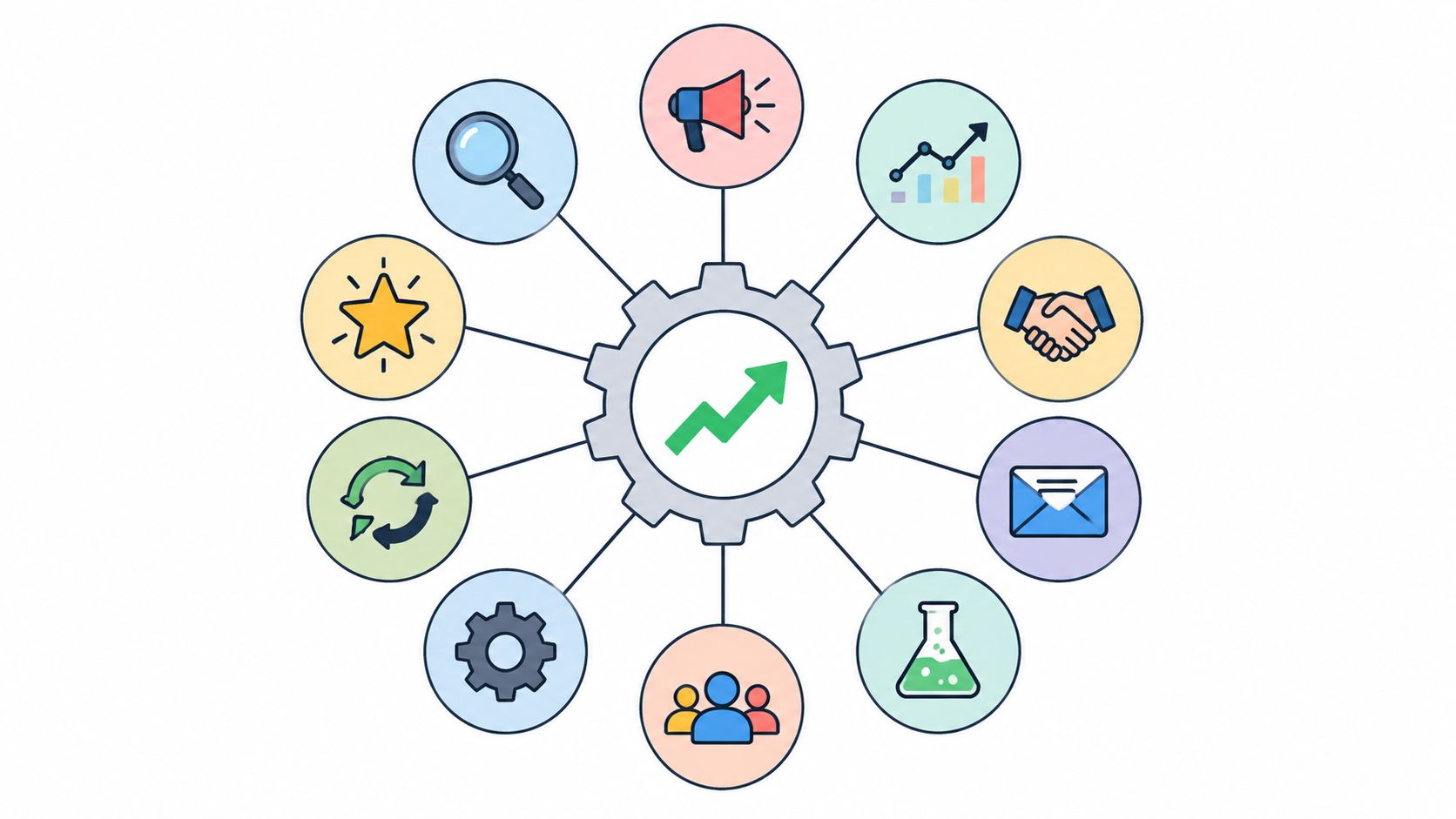
The goal is to transform your website from a passive digital brochure into an active, high-performing growth engine. This comprehensive listicle covers nine essential pillars of a successful website audit:
- Technical SEO and Site Performance: Uncovering the backend issues that slow you down.
- Content Quality and SEO Optimization: Ensuring your content resonates and ranks.
- User Experience (UX) and Accessibility: Making your site intuitive and inclusive for all visitors.
- Security and Privacy Compliance: Protecting your site and your users' data.
- Analytics and Conversion Tracking: Measuring what matters to drive results.
- Backlink Profile and Authority Analysis: Evaluating your off-page reputation.
- Site Architecture and Navigation Structure: Optimizing how users and crawlers find information.
- Local SEO and Business Listings: Dominating your local search market.
- Competitor Analysis and Market Positioning: Identifying opportunities to outperform your rivals.
Let’s begin the process of methodically evaluating and optimizing your website to unlock its full potential.
1. Technical SEO and Site Performance
The foundation of any successful website is its technical health. Technical SEO involves optimizing your site's backend infrastructure so search engines can easily crawl, understand, and index your content. This critical first step in our website audit checklist ensures that no technical barriers are preventing your content from ranking. It directly impacts site performance, which influences user experience and, consequently, your search rankings.
Think of it as building a house. Before you can decorate the rooms (content) or invite people over (marketing), you need a solid foundation, sturdy walls, and clear pathways. Poor technical SEO means search engine bots might get lost, miss important pages, or give up entirely due to slow load times. This can render all your other marketing efforts ineffective.
Why It's a Priority
A technically sound website performs better for both users and search engines. For example, Amazon discovered that even a 100-millisecond delay in page load time could cost them 1% in sales. This highlights the direct link between site performance and revenue. Similarly, after optimizing for Google's Core Web Vitals, Shopify saw a significant performance improvement across its merchant stores, demonstrating the scalable impact of a solid technical base.
Actionable Tips for a Technical Audit
To begin, use a combination of tools to get a complete picture of your site's health.
- Performance Analysis: Use Google PageSpeed Insights and GTmetrix to analyze your site's speed and Core Web Vitals. These tools provide specific recommendations, such as minifying CSS, JavaScript, and HTML files to reduce their size.
- Image Optimization: Implement lazy loading for images and videos so they only load when they enter the user's viewport. Also, convert images to modern formats like WebP, which offers superior compression compared to traditional JPEGs and PNGs.
- Leverage a CDN: Use a Content Delivery Network (CDN) like Cloudflare or AWS CloudFront. A CDN distributes your content across multiple servers globally, ensuring faster delivery to users regardless of their location.
- Monitor Indexability: Regularly check Google Search Console's "Coverage" report to find and fix any crawl errors or indexing issues that prevent your pages from appearing in search results.
This video from Google Search Central offers more insights into the technical aspects that matter for SEO:
2. Content Quality and SEO Optimization
While technical health forms the foundation, high-quality content is the structure that attracts and engages your audience. A content audit evaluates the relevance, quality, and SEO effectiveness of everything on your site, from blog posts to product descriptions. This part of our website audit checklist ensures your content aligns with user intent and business goals, making it a powerful asset for driving organic traffic.
Think of your content as the reason people visit your "house." If the rooms are empty, poorly decorated, or hard to navigate, visitors won't stay long, and they certainly won't return. A thorough content audit identifies underperforming pages, finds optimization opportunities, and ensures every piece of content serves a clear purpose, whether it's to inform, engage, or convert.

Why It's a Priority
High-quality, optimized content is what ranks in search engines and satisfies user queries. For instance, HubSpot built its entire marketing strategy around a comprehensive content hub that now generates millions of organic visits per month. Similarly, Brian Dean of Backlinko popularized the "Skyscraper Technique," a method for creating content that is demonstrably better than top-ranking competitors, leading to significant ranking improvements. These examples prove that strategic content is a direct driver of growth.
Actionable Tips for a Content Audit
Use a combination of analytics and SEO tools to conduct a comprehensive content review.
- Analyze Content Performance: Use tools like SEMrush or Ahrefs to identify your top-performing pages and those with low traffic or engagement. Look for content with high impressions but low click-through rates, as these are prime candidates for title and meta description updates.
- Focus on Search Intent: Move beyond simple keyword density. Analyze the top-ranking results for your target keywords to understand the type of content users are looking for. Is it a how-to guide, a listicle, a case study, or a product page? Match your content format to that intent.
- Implement Content Clusters: Organize your content into topic clusters, with a central "pillar" page linking out to more specific "cluster" pages. This structure signals your expertise on a topic to search engines and improves internal linking. After you create this great content, you'll need to know how to promote your website for free.
- Refresh and Prune: Regularly update existing content with fresh information, statistics, and examples to keep it relevant. Don't be afraid to remove or consolidate low-quality, outdated content that no longer serves a purpose. A content audit should be performed every 6-12 months.
3. User Experience (UX) and Accessibility
A technically sound site is only effective if users can easily interact with it. User Experience (UX) and accessibility auditing evaluates how intuitive, engaging, and inclusive your website is for all visitors, including those with disabilities. This part of our website audit checklist focuses on everything from site navigation and visual design to mobile responsiveness and compliance with Web Content Accessibility Guidelines (WCAG).
Think of your website as a physical store. Great UX means the aisles are wide, signs are clear, and products are easy to reach. Accessibility ensures that the store has ramps, automatic doors, and braille signage, welcoming every customer. A poor user experience or lack of accessibility can alienate a significant portion of your audience, leading to high bounce rates and lost conversions.

Why It's a Priority
An accessible and user-friendly website not only serves a wider audience but also builds brand trust and improves SEO. For example, after facing a lawsuit, Target overhauled its website to meet accessibility standards, which resulted in a better experience for all users and set a new industry benchmark. Similarly, Microsoft’s inclusive design principles have not only improved product accessibility but also driven innovation across their product lines. An intuitive design keeps users on your site longer, sending positive signals to search engines.
Actionable Tips for a UX and Accessibility Audit
To evaluate your site’s usability, you need a mix of automated tools and manual, human-centered testing.
- Automated Accessibility Screening: Use tools like WAVE or axe DevTools to run initial scans. These can quickly identify common issues like missing alt text, low-contrast text, and missing form labels.
- Manual Testing: Conduct manual tests to catch nuances that automated tools miss. This includes testing keyboard-only navigation to ensure all interactive elements are accessible and using a screen reader like NVDA or VoiceOver to experience your site as a visually impaired user would.
- Mobile Usability Check: Use Google’s Mobile-Friendly Test to confirm your site is responsive. Manually navigate your site on various mobile devices to check for tiny touch targets, unreadable text, and horizontal scrolling.
- Gather User Feedback: Implement user testing sessions with a diverse group of participants, including individuals with disabilities. Tools like UserTesting or Hotjar can help you gather qualitative feedback and observe how real people interact with your site.
4. Security and Privacy Compliance
In an age of constant cyber threats and stringent data regulations, a secure and compliant website is non-negotiable. This part of your website audit checklist focuses on assessing your site's defenses against vulnerabilities and ensuring it adheres to legal frameworks like GDPR and CCPA. It involves a thorough review of everything from SSL certificates and data handling practices to your privacy policy and cookie consent mechanisms.
Ignoring security and privacy doesn't just risk data breaches; it can lead to catastrophic financial penalties, loss of customer trust, and severe reputational damage. Think of it as installing locks and an alarm system for your digital storefront. Without them, you're leaving the door wide open for hackers and regulators, undermining all the hard work you've invested in content and user experience.

Why It's a Priority
A secure website protects both your business and your users, building the trust essential for long-term relationships. Proactive GDPR compliance, for instance, has helped countless companies avoid fines that can reach €20 million or more. Similarly, services like Cloudflare protect millions of sites from DDoS attacks and other malicious activities, demonstrating that robust security is a fundamental component of online viability, not just an IT concern.
Actionable Tips for a Security Audit
Start by treating security as an ongoing process, not a one-time task. A multi-layered approach provides the best defense.
- Run Regular Security Scans: Use tools like Sucuri or Wordfence to automatically scan for malware, blacklisting status, and known vulnerabilities. These services provide alerts and often offer cleanup solutions.
- Update Everything: Ensure your CMS, plugins, themes, and any other software are always running the latest versions. Outdated software is one of the most common entry points for attackers.
- Implement Strong Security Headers: Configure security headers like Content Security Policy (CSP) to prevent cross-site scripting (XSS) and other code injection attacks. A properly configured HTTPS/SSL certificate is also mandatory.
- Review Privacy Policies and Consent: Your privacy policy must be clear, comprehensive, and easily accessible. Ensure your cookie consent banner is compliant with regulations in your target regions, giving users genuine control over their data.
- Secure User Data and Backups: Enforce strong passwords and two-factor authentication for all admin accounts. Regularly back up your website and, most importantly, test your recovery procedures to ensure they work when you need them.
5. Analytics and Conversion Tracking
If you can't measure it, you can't improve it. The analytics and conversion tracking audit is the part of our website audit checklist that verifies the accuracy and completeness of your data collection. This involves scrutinizing your Google Analytics setup, goal configurations, event tracking, and attribution models to ensure the data you rely on for strategic decisions is trustworthy.
Think of it as the scoreboard for your website. Without accurate analytics, you're playing the game blind, unable to tell which strategies are scoring points and which are falling flat. A properly configured analytics setup provides clear insights into user behavior, content performance, and marketing ROI, empowering you to make data-driven optimizations instead of relying on guesswork.
Why It's a Priority
Accurate data is the lifeblood of effective digital marketing. For instance, Airbnb optimized its conversion tracking to better understand user booking patterns, which reportedly led to a significant increase in successful bookings. Similarly, Netflix's sophisticated analytics engine is the powerhouse behind its content recommendation system, directly influencing user retention. These examples show how precise tracking translates directly into business growth and improved user experience.
Actionable Tips for an Analytics Audit
A thorough audit ensures your data collection is both comprehensive and clean.
- Centralize with Tag Management: Implement Google Tag Manager (GTM) to manage all your tracking scripts and pixels from one central dashboard. This simplifies updates, reduces reliance on developers, and minimizes the risk of implementation errors.
- Track Key Interactions: Set up custom events to track micro-conversions, such as video plays, PDF downloads, or form submissions. These smaller interactions are crucial indicators of user engagement along the path to a primary conversion.
- Validate Data Accuracy: Regularly audit your analytics data. Cross-reference your analytics reports with data from your CRM or e-commerce platform to spot discrepancies and ensure data integrity.
- Understand the Full Journey: Use multi-channel funnel reports and attribution modeling in Google Analytics to understand how different marketing channels work together to drive conversions. This helps you allocate your budget more effectively. For a deeper dive, you can learn more about how to set up robust marketing campaign tracking.
6. Backlink Profile and Authority Analysis
Your website's authority in the eyes of search engines is heavily influenced by who links to it. A backlink profile analysis involves evaluating the quantity, quality, and relevance of external sites linking to yours. This part of the website audit checklist is crucial for understanding your site's perceived trustworthiness and authority, which directly impacts your ability to rank for competitive keywords.
Think of backlinks as votes of confidence from other websites. A link from a reputable, high-authority site like a major industry publication is a powerful endorsement. Conversely, a large number of links from low-quality, spammy sites can be toxic and actively harm your rankings. Analyzing your backlink profile helps you cultivate the good and remove the bad.

Why It's a Priority
A strong backlink profile is a key differentiator in competitive SERPs. Moz, an industry leader in SEO tools, built its own domain authority by consistently publishing research and creating valuable tools that naturally attracted thousands of high-quality backlinks. This strategy cemented their position as an authoritative voice, demonstrating that earning, not just building, links is a sustainable path to top rankings. A clean profile ensures you aren't being penalized for toxic links from past SEO efforts.
Actionable Tips for a Backlink Audit
To get a comprehensive view, you'll need specialized tools to analyze your link profile.
- Comprehensive Analysis: Use tools like Ahrefs, SEMrush, or Majestic to get a full list of your backlinks. Analyze key metrics like Domain Rating/Authority, URL Rating/Authority, and anchor text distribution.
- Identify and Disavow Toxic Links: Look for links from irrelevant websites, spammy directories, or sites with a high spam score. Compile these into a disavow file and submit it to Google Search Console to tell Google to ignore them.
- Competitor Link Gap Analysis: Analyze the backlink profiles of your top three competitors. Identify high-authority domains linking to them but not to you. These are prime targets for your own outreach and content promotion efforts.
- Monitor Brand Mentions: Set up alerts for your brand name using tools like Google Alerts or Mention. When you find an unlinked mention, reach out to the publisher and politely request they add a link back to your site. This is a simple yet effective way to secure new links.
7. Site Architecture and Navigation Structure
A website's architecture is its blueprint, dictating how pages are organized, linked together, and presented to both users and search engines. Auditing your site architecture involves examining its navigation, URL structure, and internal linking to ensure a logical and efficient hierarchy. This crucial step in our website audit checklist ensures that your most important content is easily discoverable.
Think of your website as a library. A logical site architecture acts as the cataloging system, guiding visitors (and search engine crawlers) directly to the information they need. A poor structure is like a library with no signs or organization, leaving users lost and frustrated. This can lead to high bounce rates and prevent search engines from properly indexing your valuable pages.
Why It's a Priority
A well-planned site architecture enhances user experience and boosts SEO. By making it easy for users to find information, you keep them engaged longer. For search engines, a clear hierarchy helps distribute "link equity" or authority throughout your site, signaling the importance of key pages. For instance, Amazon’s sophisticated category and filter system allows millions of products to be browsed logically, a key factor in its dominance. This demonstrates how a scalable architecture directly supports both user satisfaction and search visibility.
Actionable Tips for an Architecture Audit
Use a site crawler to visualize your structure and identify areas for improvement.
- Analyze Site Depth: Use a tool like Screaming Frog to analyze your site structure. Aim to keep your most important pages within three clicks of the homepage to ensure they are easily found by both users and search engine crawlers.
- Create Topic Clusters: Organize your content into topic clusters, with a central "pillar page" covering a broad topic and linking out to more detailed "cluster pages." This strategy helps establish your site as an authority on a particular subject.
- Optimize Internal Linking: Audit your internal links to ensure they use descriptive, relevant anchor text. This helps users understand the context of the linked page and provides stronger signals to search engines about the page's content.
- Refine URL Structure: Ensure your URLs are clean, descriptive, and include relevant keywords. A logical URL like
yourdomain.com/services/seo-auditis far more effective thanyourdomain.com/page-id=123. - Implement Breadcrumbs: Use breadcrumb navigation to show users their current location within the site's hierarchy. This simple feature improves orientation and reduces the number of clicks required to navigate back to higher-level pages.
8. Local SEO and Business Listings
For businesses with a physical location or those serving a specific geographic area, a local SEO audit is non-negotiable. This part of your website audit checklist focuses on optimizing your digital presence to attract customers from location-based searches, like "coffee shop near me." It ensures your business appears prominently in Google's Local Pack, on Google Maps, and in other localized search results.
Think of local SEO as the digital equivalent of putting up a bright, clear sign on your storefront. If your online information is inconsistent or hard to find, potential customers will walk right past your digital door. A thorough audit of your local signals ensures that search engines and users can find accurate, compelling information about your business, no matter where they look.
Why It's a Priority
According to Google, 46% of all searches have local intent. Neglecting this means missing out on a massive audience of highly motivated buyers. A local restaurant, for example, can see a direct increase in reservations by optimizing its Google Business Profile with high-quality photos, updated hours, and positive reviews. Similarly, multi-location retailers like Starbucks rely on precise local listing management to guide customers to thousands of individual stores. Strong local SEO directly translates to increased foot traffic and sales.
Actionable Tips for a Local SEO Audit
Start by ensuring your foundational business information is consistent everywhere online.
- Google Business Profile (GBP) Optimization: Claim and fully optimize your GBP listing. Regularly add posts, answer Q&As, and upload new photos to keep it active. This is your most important local ranking factor.
- Citation Consistency: Use tools like BrightLocal or Whitespark to audit your business citations (Name, Address, Phone number or NAP) across online directories. Correct any inconsistencies, as these can confuse search engines and harm your rankings.
- Encourage and Manage Reviews: Actively encourage customers to leave reviews on Google and other relevant platforms. Respond to all reviews, both positive and negative, to show you value customer feedback.
- Create Localized Content: Develop content that is relevant to your service area. This could include location-specific landing pages, blog posts about local events, or case studies featuring local clients.
- Implement Local Schema: Add local business schema markup to your website. This structured data helps search engines better understand your business's location, hours, and services, which can lead to rich results in SERPs.
This video from Ahrefs provides a great walkthrough on conducting a local SEO audit:
9. Competitor Analysis and Market Positioning
Understanding your digital ecosystem is just as crucial as understanding your own website. A competitor analysis audit involves a comprehensive review of your website's performance against key industry rivals. This part of the website audit checklist goes beyond a simple glance at their homepage; it's a deep dive into their SEO strategies, content, user experience, and overall market positioning to find your competitive edge.
Think of it as strategic intelligence for your digital marketing. By understanding what works for your competitors, what doesn't, and where they are absent, you can identify gaps in the market. This allows you to make more informed decisions, avoid their mistakes, and capitalize on opportunities they have missed, effectively carving out a stronger position for your brand online.
Why It's a Priority
A thorough competitor analysis turns guesswork into a data-driven strategy. For instance, an e-commerce brand might study Amazon's product page layouts and conversion funnels to refine its own user journey and increase sales. Similarly, Netflix constantly analyzes the content strategies and user interfaces of other streaming services to optimize its library and user retention, ensuring it stays ahead in a crowded market. This process reveals actionable insights that can directly influence your content, SEO, and product development efforts.
Actionable Tips for a Competitor Audit
To get a clear picture of your competitive landscape, you need the right tools and a structured approach.
- Identify Competitors: Use tools like SEMrush, Ahrefs, or SpyFu to identify both your direct and indirect competitors. Look for who is ranking for your target keywords and who is capturing your target audience's attention.
- Analyze SEO Gaps: Investigate the keywords your competitors rank for that you don't. This "keyword gap" analysis can reveal valuable content opportunities. Also, analyze their backlink profiles to find potential link-building sources.
- Deconstruct Content Strategy: Examine the types of content your competitors produce (blogs, videos, case studies), its quality, and its engagement levels. Look for topics they cover well and areas they have neglected.
- Evaluate User Experience: Manually navigate through your top competitors' websites. Analyze their site structure, calls-to-action, and conversion paths to identify strengths you can adapt and weaknesses you can exploit.
For a deeper dive, learn more about building a robust competitor analysis framework on reachlabs.ai.
Website Audit Checklist: 9-Point Comparison Guide
| Audit Type | Implementation Complexity 🔄 | Resource Requirements ⚡ | Expected Outcomes 📊 | Ideal Use Cases 💡 | Key Advantages ⭐ |
|---|---|---|---|---|---|
| Technical SEO and Site Performance | High – requires technical expertise | Moderate to high – infrastructure and ongoing monitoring | Improved rankings, faster site speed, better UX | Websites needing solid performance foundation | Future-proofing, enhanced user retention |
| Content Quality and SEO Optimization | Moderate – content analysis and updates | Moderate – content teams and analysis tools | Increased organic traffic, topical authority | Content-driven sites aiming for SEO growth | Drives qualified traffic, improves engagement |
| User Experience (UX) and Accessibility | High – specialized testing and design changes | Moderate to high – UX designers and accessibility experts | Better conversions, legal compliance, expanded reach | Sites targeting broad inclusive audiences | Reduced litigation risk, enhanced brand trust |
| Security and Privacy Compliance | High – ongoing security management | High – security tools and expert resources | Protection from breaches, regulatory compliance | Sites handling sensitive user data | Builds trust, reduces legal and financial risks |
| Analytics and Conversion Tracking | Moderate to high – setup and maintenance | Moderate – analysts and tracking tools | Actionable insights, better ROI measurement | Data-driven marketing and optimization efforts | Enables data-driven decisions, supports experiments |
| Backlink Profile and Authority Analysis | Moderate – requires ongoing monitoring | Moderate – SEO tools and outreach resources | Improved domain authority, better search visibility | SEO campaigns focused on link building | Protects from penalties, provides competitive edge |
| Site Architecture and Navigation Structure | High – potential major restructuring | Moderate to high – developers and SEO specialists | Enhanced crawlability, better user navigation | Large or complex sites needing scalable structure | Distributes page authority, reduces bounce rates |
| Local SEO and Business Listings | Moderate – ongoing citation management | Low to moderate – local SEO tools and management | Improved local visibility, increased foot traffic | Businesses with physical locations | Boosts local leads, competitive advantage locally |
| Competitor Analysis and Market Positioning | Moderate to high – extensive research | Moderate – SEO & marketing analysts and competitive tools | Strategic insights, identification of market gaps | Businesses seeking competitive advantage | Optimizes resource allocation, reveals tactics |
From Checklist to Action: Building Your Path to Digital Excellence
You've navigated the intricate pathways of a comprehensive website audit checklist, from the foundational code of technical SEO to the nuanced art of competitive positioning. Completing this process is more than just a box-ticking exercise; it's the creation of a strategic blueprint for your digital future. The true power of this audit lies not in the data you've collected but in the decisive actions you take next.
Each item we've explored, from backlink analysis to UX enhancements, represents a distinct lever you can pull to improve performance. The findings you've uncovered are your guide to building a stronger, faster, and more effective online presence. The journey from a simple checklist to tangible results begins now, with a clear and prioritized plan.
Synthesizing Your Findings into a Strategic Roadmap
The sheer volume of data from a thorough audit can feel overwhelming. The key is to distill these findings into an actionable, prioritized roadmap. Avoid the trap of trying to fix everything at once. Instead, categorize your identified issues to create clarity and focus.
A highly effective method is to use an Impact vs. Effort Matrix. This simple framework helps you visualize where to direct your resources for maximum return on investment.
- Quick Wins (High Impact, Low Effort): These are your top priorities. Examples might include fixing broken internal links, updating page titles for better keyword targeting, or compressing oversized images that are slowing down your site. These tasks deliver noticeable improvements without requiring extensive resources.
- Major Projects (High Impact, High Effort): These are significant initiatives that can transform your performance but require careful planning and resource allocation. This could involve a complete site architecture overhaul, a major content pruning and revitalization project, or a full accessibility compliance update (WCAG).
- Fill-in Tasks (Low Impact, Low Effort): These are smaller, incremental improvements you can tackle when time and resources allow. Think of tasks like standardizing your alt text format, cleaning up old URL redirects, or updating your local business listings.
- Reconsider (Low Impact, High Effort): These tasks should be questioned and potentially deprioritized or discarded. Does spending weeks redesigning a low-traffic, low-conversion page truly align with your business goals? This quadrant helps you avoid wasting valuable resources.
By categorizing your audit findings this way, you move from a disorganized list of problems to a structured, strategic plan. This approach ensures your team's efforts are always aligned with the most critical business objectives.
The Shift from a One-Time Task to an Ongoing Process
The most successful digital brands understand a crucial truth: a website audit is not a static, one-and-done event. The digital ecosystem is in a constant state of flux. Search engine algorithms evolve, new technologies emerge, user expectations shift, and your competitors are relentlessly working to gain an edge.
Viewing your website audit checklist as part of a cyclical process of improvement is a powerful mindset shift. Schedule regular, recurring audits to maintain your website's health and competitive advantage.
- Quarterly Audits: Ideal for a high-level review of key areas like site performance, core content SEO, and conversion tracking. This frequency helps you catch emerging issues before they become major problems.
- Annual Deep Dives: Reserve a yearly slot for a comprehensive, top-to-bottom audit covering every item on this checklist. This allows you to reassess your overall strategy, analyze long-term trends, and plan major projects for the year ahead.
Embracing this iterative approach transforms your website from a static brochure into a dynamic, evolving asset. It fosters a culture of continuous improvement, ensuring your digital presence not only keeps pace but sets the standard in your industry. The insights you've gained are your foundation; now, build upon it with consistent, focused action.
Feeling overwhelmed by the scope of your audit findings? Translating this extensive website audit checklist into an effective, resource-managed action plan requires specialized expertise. ReachLabs.ai provides the data-driven strategy and world-class talent to turn your audit insights into measurable growth.
Schedule a consultation with ReachLabs.ai today and let's build your path to digital excellence together.