Let's be honest: a static website just doesn't cut it anymore. If you're relying solely on text and images, you're missing a massive opportunity to connect with your audience. Video production for websites has gone from a "nice-to-have" to a core part of any successful digital strategy. It’s the process of creating, fine-tuning, and embedding video that genuinely boosts engagement and delivers real results.
Why Your Website Needs Video to Succeed in 2026
Think of a website without video like a storefront with the blinds drawn. It hides the personality and life of the brand inside. While words and pictures can explain what you do, video shows it, creating a dynamic, memorable experience that static content just can't match.
Today’s internet users are busy, and they overwhelmingly prefer to watch rather than read. A two-minute product demo is far more appealing than a wall of text. This isn't just a preference; it's a behavior that directly impacts your site's performance. We see it time and again: websites with video have lower bounce rates and much higher time-on-page metrics. Why? Because video gives visitors a compelling reason to stick around.
Drive Trust and Credibility
In a digital world where trust is everything, video is your best tool for building it. This is especially true in the B2B space, where relationships and confidence are key. The data is clear: an incredible 93% of B2B buyers say video is crucial for building trust in a brand. On top of that, websites that use video pull in 41% more web traffic than those that don't. You can dig into more of these powerful statistics in this in-depth 2025 marketing report.
A well-produced video serves as a powerful trust signal. It shows that you've invested in your brand and are confident enough to present your products, services, or team in a transparent, human-centric way.
Enhance Your Message and Conversions
Video has a unique knack for making complex ideas simple. A 60-second animated explainer can clarify a complicated service far better than a dense paragraph. A customer testimonial provides authentic social proof that can be the final nudge a potential client needs to make a decision. By presenting your message visually, you make it more accessible and ensure it sticks.
Ultimately, video production for websites is about achieving your business goals. Understanding the strategy behind different video types, like how promotional videos for companies can fuel growth, is essential for unlocking their full impact.
Here are a few a ways video can directly support your objectives:
- Brand Story Videos: These create an emotional connection by sharing your company's mission and what you stand for.
- Product Demos: Show your product in action, showcasing its best features and answering questions before they're even asked.
- Customer Testimonials: Let your happy clients do the selling for you. Their authentic stories build powerful social proof.
- Company Culture Videos: Give potential hires a genuine look behind the scenes to attract top talent who align with your values.
Building Your Strategic Video Blueprint
Diving into website video production without a solid plan is a recipe for disaster. I've seen it happen time and again: companies spend a fortune on a video that looks great but does absolutely nothing for their bottom line. It's like building a house without a blueprint—you might end up with something standing, but it won't be functional, and you'll have wasted a lot of money.
A proper video blueprint ensures every second of footage serves a purpose and pushes your business goals forward.
Before you even think about cameras or scripts, you need to get brutally honest about your objectives. What, exactly, are you trying to achieve? Are you aiming to generate more qualified leads for your sales team? Is the goal to demystify a complex software feature for frustrated new users? Or maybe you want to build a deeper connection with your audience by sharing your company’s origin story.
Define what a "win" looks like long before you hit the record button.
Know Your Audience, Nail Your Message
Once you've locked in your goal, the next question is: who are you talking to? A video designed for a busy CEO needs a completely different tone, pace, and message than one for a detail-oriented marketing manager.
Get specific. Sketch out a detailed persona for your ideal viewer. What keeps them up at night? What questions are they typing into Google? What kind of content do they already find valuable? When you understand their world, you can craft a core message that actually resonates. This isn't just about listing product features; it's about connecting your solution directly to their problem.
A powerful video strategy is born at the intersection of a clear business objective, a well-defined audience, and a compelling message. When those three align, you’re set up to get a real, measurable return on your investment.
Choose the Right Type of Video
The format of your video should flow naturally from your objective and your audience. Different video styles work best at different points in the customer journey, from initial awareness to the final decision.
Here are a few common formats and where they fit best:
- Brand Story Videos: These are fantastic for top-of-funnel awareness. They're all about creating an emotional connection and introducing people to your company's "why."
- Product Demos & Explainer Videos: Perfect for the middle of the funnel when people are actively comparing options. These videos show your product in action, making complex ideas simple and highlighting key benefits.
- Customer Testimonials: When someone is close to making a decision, nothing is more powerful than social proof. Authentic stories from happy clients build incredible trust and seal the deal.
- Webinars & Educational Content: This is how you establish yourself as a thought leader. Longer-form videos that offer deep, practical value are amazing for lead generation. In fact, they can convert nearly a quarter of viewers when a lead form is included.
This simple diagram shows how this all comes together to benefit your website.

As you can see, it’s a straightforward but powerful cycle. High-quality, strategic video builds trust with your audience. That trust, in turn, drives more of the right kind of traffic to your website. By following this blueprint, you stop making one-off "creative" videos and start building a reliable engine for business growth.
From Plan to Production: Bringing Your Website Videos to Life

You’ve got your strategy locked in. Now comes the fun part: rolling up your sleeves and actually making the video. This is where your ideas finally take shape, and it’s not about having a Hollywood-sized crew. It’s about being resourceful and focusing on what truly matters to create a professional video that reflects your brand.
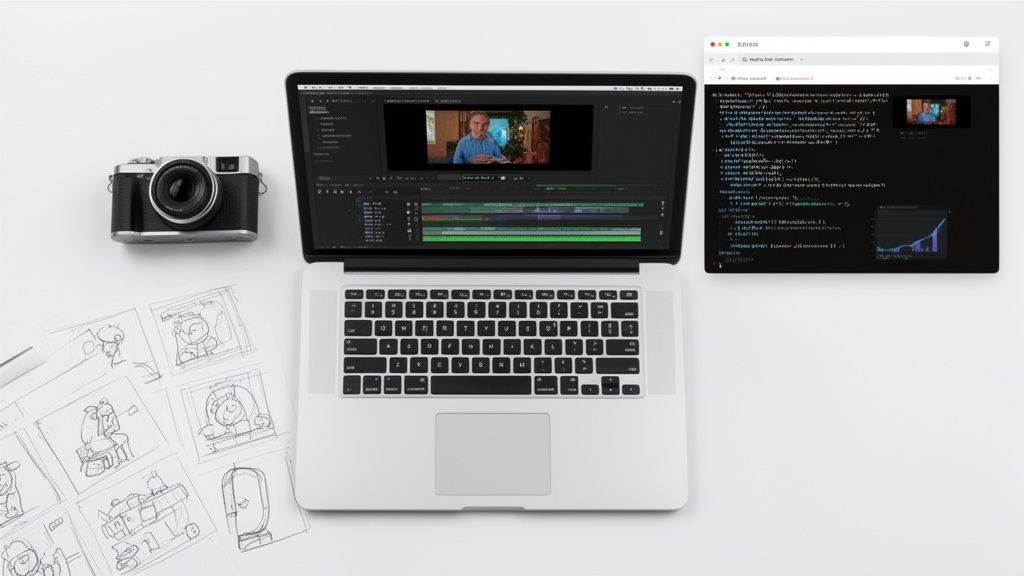
Everything starts with a script and a storyboard. Think of your script as more than just words; it’s a roadmap for your viewer. Each sentence should be deliberately crafted to move them closer to the goal you defined in the planning stage. The storyboard then brings that script into the visual realm, letting you map out every shot and angle before you even think about hitting the record button.
High-Quality Video Doesn’t Mean High-Cost
You absolutely do not need a blockbuster budget to create a video that looks great on your website. I’ve seen incredible results from teams who simply nailed the fundamentals: clean lighting, crisp audio, and steady camera work. A basic three-point lighting kit and a tidy, branded background can make all the difference.
If there's one area you can't afford to skimp on, it's audio. Here’s a hard-earned lesson: people will tolerate less-than-perfect visuals, but they have zero patience for muffled, scratchy sound. A simple lavalier or shotgun mic is a small investment that pays huge dividends in production value.
To really get the most out of your setup, it’s worth digging into some core principles. These 10 Video Production Best Practices are a fantastic resource for mastering the craft.
Choosing Your Production Model
One of the biggest forks in the road is deciding who will actually produce your video. Will you build an in-house team, hire an outside agency, or find a sweet spot in between? There’s no single right answer—it all comes down to your budget, in-house skills, and how much video you plan to create.
Today, nearly three-quarters of companies are bringing video creation in-house. This shift highlights a growing confidence in internal teams to produce effective content, especially with the rise of user-friendly editing software and affordable equipment.
To figure out the best fit for your business, it helps to weigh the pros and cons of each approach.
Choosing Your Video Production Model
Here's a breakdown comparing the three main production models. Think about where your company is today and where you want to be in a year when making your choice.
| Production Model | Best For | Key Advantages | Potential Challenges |
|---|---|---|---|
| In-House Team | Companies needing a high volume of consistent content. | Quick turnarounds, deep brand knowledge, and cost-effective over the long term. | Requires skilled talent and an initial investment in gear. |
| Outsourced Agency | Businesses seeking top-tier quality for key projects. | Access to expert talent, high-end equipment, and a polished final product. | Higher per-project cost and less control over the process. |
| Hybrid Model | Teams wanting to balance quality with scalability. | Core projects are outsourced while daily content is created internally. | Requires excellent project management to stay aligned. |
Often, the smartest strategy is a hybrid one. For example, you might hire an agency for a high-stakes brand anthem video but have your marketing team produce quick, authentic video customer testimonials on a regular basis.
Whatever path you choose, the key is consistency. Make sure all your videos—no matter who creates them—share a unified look with the same colors, fonts, and editing style. That’s how you build a brand people recognize and trust.
Optimizing and Embedding Your Video for Peak Performance

You can have the most amazing video in the world, but if you just slap it onto your website, you’re likely doing more harm than good. A poorly embedded video can absolutely tank your site speed, send visitors running, and get completely ignored by search engines. This is where the technical details make all the difference, turning your creative work into a real performance driver.
The whole point is to give people a great viewing experience without making them wait for your page to load. A slow site is a killer, and it’s a fast way to get a high bounce rate. If you're struggling with users leaving too quickly, our guide on how to reduce bounce rate has some great strategies that go hand-in-hand with good video practices.
Getting this balance right has never been more important. Video isn't just popular; it's on track to become 82% of all internet traffic by 2026. Much of that is driven by short-form content, which can pull in a 50% engagement rate. To learn more about the numbers, check out these video marketing statistics on Autofaceless.ai. This means making your videos work seamlessly on your site is no longer optional.
Choosing the Right Video Hosting Platform
First things first: never upload video files directly to your website's server or media library. I can't stress this enough. It’s the single fastest way to destroy your page load times. You need a dedicated video hosting service.
Each platform has its own personality and is built for different goals, especially when it comes to video production for websites.
- YouTube: It’s the giant. You get unrivaled reach for free, and its search function is a traffic goldmine. The downside? You lose control. The player is branded, and worse, it will happily suggest a competitor's video the second yours ends.
- Vimeo: This is the platform for creatives and professionals. It’s known for its pristine playback quality and a clean, ad-free player. If your brand's image is everything or you're showcasing high-end portfolio work, Vimeo gives you the polish you need.
- Wistia: Think of Wistia as the marketer's choice. It’s built from the ground up to turn viewers into leads. It offers incredible analytics, lets you drop lead-capture forms right into your video, and even has heatmaps to show you exactly which parts people are watching or skipping.
If your goal is lead generation, Wistia is tough to beat. The deep integration with marketing tools means you can finally connect the dots and see how a specific video is actually impacting your sales funnel.
Embedding for Speed and Search Engines
Once your video is hosted, how you put it on your page is the next critical step. Just grabbing the standard embed code and pasting it in can still slow you down, because it forces the browser to load the entire video player right away—even if the user never scrolls down to see it.
The solution is lazy loading. It’s a simple but powerful technique that tells the browser not to load the video until a visitor actually scrolls it into view. Most modern CMS platforms and page builders have a simple checkbox for this. It's a quick win for your initial page speed.
But speed is only half of it. You also have to help search engines understand what your video is about, since they can’t exactly watch it.
Here’s how to give them the right clues:
- Add a Transcript: Post a full text transcript of your video's audio on the same page. This makes every single word you said indexable by Google.
- Design a Killer Thumbnail: Your thumbnail acts like a movie poster for your video. It has to be compelling and give an honest preview of what’s inside to earn that click.
- Write SEO-Friendly Titles and Descriptions: When you upload to YouTube or Wistia, use relevant keywords in the video’s title and description. This helps you rank on Google and within the platform's own search results.
Getting these technical details right ensures your investment in video actually pays off by improving the user experience, boosting your SEO, and ultimately, helping you hit your business goals.
Measuring Your Video's Success and ROI

You’ve created an amazing video. Now what? If you can’t prove it’s actually working, you’re just throwing money at the wall and hoping something sticks. This is where we move past the creative process and into measurement—the part that shows you whether your investment paid off.
It's easy to get distracted by vanity metrics like view counts and social shares. They feel good, but they don’t pay the bills. A video with 100,000 views that results in zero new customers is a failure. On the other hand, a video with just 500 targeted views that brings in five high-value clients is a massive win. That's the difference we're aiming for.
Key Engagement Metrics That Matter
To get a real picture of performance, you need to dig into the analytics provided by your video host (like Wistia or Vimeo) and connect the dots with your website's data. This is where you find the real story.
First, I always look at the audience retention rate. This graph tells you exactly when people are losing interest and clicking away. Is there a big drop in the first 10 seconds? Your intro probably isn't grabbing them. Is it a slow, steady decline? The video might just be too long for the audience or the context.
Another thing to check is the play rate. This simply shows what percentage of page visitors bothered to click play. If it’s low, your thumbnail might be boring, or the video could be buried too far down the page. As a benchmark, videos on blog posts and landing pages often see engagement rates above 40%.
I've found that video heatmaps are one of the most powerful but underused tools. They give you a visual map of what parts of your video people re-watched, skipped, or where they stopped watching altogether. This insight is gold for figuring out what content truly connects and where you need to make edits.
Connecting Video Performance to Business Goals
Ultimately, the goal is to see how your video impacts the bottom line. This means you have to track what people do after they watch.
Here are the metrics that truly define success:
CTA Clicks: If you included a call-to-action button in your video, are people clicking it? This is a direct signal of intent and one of the clearest indicators that your message resonated.
Lead Generation: Many professional video platforms let you add lead-capture forms right inside the video player. Tracking submissions from these forms draws a straight line from your video to a new lead. We've seen in-video lead forms convert at nearly 25%—it's incredibly effective.
Conversion Influence: Dive into your website analytics. Are people who watch a specific video more likely to sign up for a trial, buy a product, or fill out a contact form than those who don't? This shows how your video influences the entire customer journey.
By focusing on these actionable metrics, you stop just making videos and start building a video strategy that delivers a tangible return. If you really want to get granular and tie your efforts to revenue, you'll find our guide on how to calculate marketing ROI incredibly helpful. It’s this kind of data that helps you refine your approach, prove the value of your work, and make even smarter decisions for your next video project.
Common Questions About Website Video Production
Whenever businesses decide to get serious about video, the same questions always seem to pop up. It's easy to get bogged down in the details, from how much to spend to what to even say. Let's clear up a few of the most common hurdles so you can start creating with confidence.
How Long Should My Videos Be?
This is probably the number one question I get, and the answer is always: it depends entirely on the video's job. There’s no magic number, but there are some solid benchmarks based on where the video lives on your site.
Homepage & Social Teasers (30-60 seconds): For a homepage hero video or a quick social clip, you're aiming for 30-60 seconds, tops. The goal here is to hook someone immediately and deliver one core message before they have a chance to scroll away.
Product & Service Explainers (1-3 minutes): Product explainers, service overviews, and most customer testimonials work beautifully in the 1-3 minute range. This gives you enough breathing room to build a convincing case and offer real value without overstaying your welcome.
In-Depth Tutorials & Case Studies (5+ minutes): When you get to deep-dive tutorials, detailed case studies, or on-demand webinars, you can go longer—think 5+ minutes. At this stage, your viewer is already invested. They're looking for an answer to a specific problem, and they'll stick around as long as you're providing exceptionally valuable content.
What Matters More: Video Quality or the Message?
This feels like a trick question, but the truth is your message is the foundation for everything. A Hollywood-level production can't save a video with a weak or confusing point. That said, poor quality can absolutely kill a great message before it even has a chance.
I’ve seen this countless times: audiences are far more forgiving of slightly imperfect visuals than they are of bad audio. If viewers can't clearly hear what you're saying, they will leave. Always prioritize crisp, clean audio.
Ultimately, it’s about finding the right balance. Start with a message that truly speaks to your audience's needs. Then, make sure your production quality is good enough to earn their trust and respect their time. You don’t need a fancy 4K camera, but clean sound and stable, well-lit footage are non-negotiable.
How Much Should I Budget for Website Video Production?
The cost of video production is a huge spectrum. You could spend a few hundred dollars on a simple DIY video or well over $10,000 for a high-end commercial shoot.
For most small to medium-sized businesses, a professionally produced 1-2 minute brand or explainer video will typically land in the $2,000-$7,000 range. This generally covers the entire process from strategy and scripting to the shoot and final edits.
When you're planning your budget, try not to think of it as just a one-time cost. Think about its long-term ROI and how many different ways you can use that video across your marketing.
At ReachLabs.ai, we focus on creating video content that doesn't just look great—it gets results. Our team combines strategic thinking with creative execution to build videos that move the needle for your business. Learn how our data-driven approach to video can elevate your brand's voice.