
Think of an SEO audit as a complete physical for your website. It's a deep dive that shows you exactly what's working, what’s broken, and where the hidden opportunities are for climbing the search rankings. It’s less about guesswork and more about building a data-driven plan to get you where you need to be.
Your Blueprint for an Effective SEO Audit
Jumping into SEO without an audit is like trying to build a house without a blueprint. You might get a wall up here or there, but the foundation will be shaky. An audit provides that essential blueprint, ensuring every tweak and content update you make is strategic and moves you closer to your goals.
The first step is always to define what success looks like. Are you trying to claw back traffic after a nasty algorithm update? Or are you in a good spot and just looking for that next level of growth? Your specific goals will dictate the entire focus of the audit. If you're looking to tie this into broader efforts, it's worth exploring how to improve your overall https://www.reachlabs.ai/marketing-campaign-tracking/ as well.
The Three Pillars of an SEO Audit
A thorough audit really comes down to three core areas. Each one gives you a different piece of the puzzle, and you need all of them to see the full picture of your site's performance.
I've found it helpful to break down the audit process into these three pillars. It keeps things organized and ensures no stone is left unturned.
The Three Pillars of an SEO Audit
| Audit Pillar | Primary Focus | Key Question to Answer |
|---|---|---|
| Technical Analysis | Site crawlability, indexability, speed, and mobile-friendliness. | Can search engines easily find, understand, and rank my content? |
| Content & On-Page Review | Page relevance, keyword targeting, content quality, and user experience. | Does my content meet user intent and give them what they're looking for? |
| Backlink Profile Assessment | The quality and quantity of external links pointing to your site. | Is my website seen as a credible and authoritative source in my industry? |
Each pillar works together to build a complete picture of your site's health and potential. A weakness in one area can easily undermine strengths in another.
Many SEO tools offer a dashboard that gives you a quick, high-level look at your site’s health, which is a great starting point. It immediately flags the big, glaring issues.

This kind of visual snapshot is invaluable for prioritizing. You can instantly see which problems, like a swarm of broken links or missing title tags, are hurting you the most and need immediate attention.
An audit isn't a one-time fix; it's an ongoing process of refinement. The initial deep dive creates your action plan, while quarterly check-ins help you adapt to algorithm changes and stay ahead of competitors.
Before you can fix the problems, you have to understand the key search engine ranking factors that search engines like Google actually care about. The investment in this process is growing for a reason. By 2025, the global SEO services market is expected to hit a staggering $146.96 billion. That number alone shows just how critical this work has become for businesses that want to compete online.
Mastering Your Technical SEO Health Check
Before any of your amazing content can actually win over a customer, search engines have to be able to find it, crawl it, and make sense of it. That’s the entire game when it comes to a technical SEO audit—making sure your website’s foundation is rock-solid. Think of it like a car's engine; you can have the slickest design in the world, but if the engine's a mess, you're not going anywhere.
The first thing I always look at is crawlability and indexability. These two concepts boil down to a simple question: can Google even get to your content and add it to its library? If not, you're basically invisible.
Ensuring Search Engines Can Find Your Pages
Your first mission, should you choose to accept it, is to make sure you haven't accidentally put up any "Keep Out" signs for search engines. This usually comes down to two main culprits: the robots.txt file and rogue "noindex" tags.
I’ve seen it happen countless times—a misconfigured robots.txt file accidentally tells search engine crawlers to ignore entire sections of a site. Just as common is a stray "noindex" tag left on a critical service page or blog post after a site migration. It's a simple mistake, but a costly one.
Firing up a crawler like Screaming Frog or just digging into the coverage report in Google Search Console will bring these issues to light almost immediately. A good technical review isn't just about finding what's broken; it's about optimizing what works. A clean site structure is a key part of any good website audit checklist because it helps search engines crawl you more efficiently.
Fixing Crawl Errors and Broken Pathways
Crawl errors, especially 404 "Page Not Found" errors, are dead ends for both people and search bots. When a crawler keeps bumping into these, it burns through your site’s crawl budget—the limited number of pages a search engine will look at in a given timeframe. You want that budget spent on your good pages, not on dead ones.
Fixing these is non-negotiable for both user experience and SEO.
- Hunt down 404s: Pop into Google Search Console and check the "Pages" report (under the Indexing section). It’ll give you a list of URLs serving up errors.
- Redirect with purpose: If a page moved for good, use a 301 redirect to point the old URL to the new one. This is crucial because it passes over link equity and gets users where they need to go.
- Update your internal links: Don't forget to find any links on your own site that are still pointing to the now-dead page and update them.
A clean site with minimal errors sends a strong signal of quality and reliability to search engines. Making a habit of checking for and fixing crawl errors is a foundational part of keeping your site technically sound.
You'd be surprised how common technical glitches are, even on sites that rank well. Believe it or not, nearly 7.4% of top-ranking pages on Google are missing a title tag. That’s SEO 101. It just goes to show how easy it is for small oversights to slip by, which is why a detailed audit is so important.
Securing Your Site with HTTPS
Let's be clear: site security isn't optional anymore. Google has officially said HTTPS is a ranking signal (albeit a lightweight one), but the real win here is user trust. An insecure site often gets flagged with a browser warning, which is the fastest way to scare off a potential customer.
During your audit, double-check that your entire site is running on HTTPS. You should see that little padlock icon in the address bar on every single page. Also, make sure that the HTTP versions of your URLs automatically redirect to their secure HTTPS counterparts. This prevents some nasty duplicate content headaches down the line.
A quick way to spot "mixed content"—where a secure page tries to load insecure resources like old images or scripts—is to run a site crawler. These tools are great at flagging any insecure elements that need to be updated.
Tackling Duplicate Content Issues
Duplicate content is a classic SEO problem. It crops up when the same (or nearly the same) content exists on multiple URLs. This just confuses search engines. They don't know which version to rank, which can dilute the authority of all the pages involved.
Where does it come from? Usually, one of these:
- URL Variations: Your site is accessible with
www, withoutwww, onhttp, and onhttps. - Staging Sites: An old staging or test version of your site accidentally got indexed. Yikes.
- Content Syndication: Other websites republish your content without linking back to the original properly.
The fix here is to use canonical tags. A canonical tag is a little piece of code that tells search engines, "Hey, of all these similar pages, this one is the master copy." This consolidates your ranking signals and makes sure the right page shows up in search, cleaning up your site's technical footprint for much better performance.
Analyzing On-Page Elements and Content Gaps
Once your site’s technical foundation is solid, it's time to shift focus to what people and search engines actually see: your on-page content. This part of the audit is where we get into the nitty-gritty of your content's quality, relevance, and strategic performance. We're moving beyond code and into the words and structure of your pages.
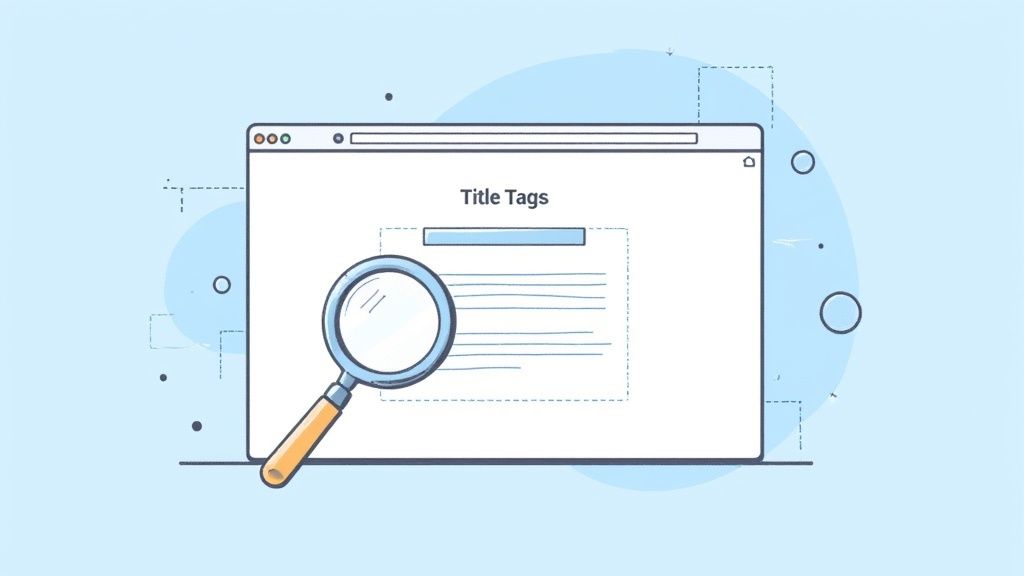
A good SEO tool will give you a report like this, which instantly flags on-page problems like missing title tags or meta descriptions. It’s like getting an immediate to-do list of high-impact fixes.
This whole process starts with looking at your keywords, but not just in a superficial "do we have this term?" way. We need to ask if our content truly matches the search intent behind those keywords. Are we actually answering the user's question in the right format, or are we just sprinkling terms on a page and hoping for the best?
Scrutinizing Critical On-Page Factors
Think of your on-page elements as the signposts that guide both search engines and your visitors. If those signs are confusing, wrong, or just plain missing, people are going to get lost. A proper audit means checking these elements on your most important pages to make sure they’re clear, compelling, and doing their job.
The goal here is to spot common but costly mistakes. SEO crawlers are fantastic for this, as they can scan your whole site and spit out a list of pages missing these fundamental components.
Here’s what you need to be looking at:
- Title Tags: Is the title unique, descriptive, and within that sweet spot of 50-60 characters? Does it feel natural while still including your main keyword?
- Meta Descriptions: I know, they aren't a direct ranking factor. But a well-written meta description (around 155 characters) is your advertisement on the search results page. It has one job: earn the click.
- Header Structure (H1s, H2s): Does every single page have one—and only one—H1 tag that nails the page's topic? Are H2s and H3s used to break up the content logically, making it easy for people to scan and read?
A classic mistake I see all the time is treating on-page SEO as a one-and-done task. The truth is, it needs constant attention. Search intent changes, and your titles and headers might need a refresh to keep up.
Fixing these things can be a surprisingly quick win. I’ve seen clients get a noticeable rankings bump in just a few days after optimizing the title tag on a key page. A big piece of this puzzle is learning how to conduct keyword research like an expert.
Performing a Content Gap Analysis
One of the most powerful things an SEO audit can do is show you what you should be talking about but currently aren't. That’s precisely what a content gap analysis is for. It's a methodical process of comparing your website's content against your top competitors' to find keywords they rank for that you don't even touch.
This isn't about ripping off their ideas. It's about finding the topics your audience is searching for that you're completely missing. This analysis gives you a data-driven list of content ideas that have already been proven to attract traffic in your industry.
Let's say you sell hiking boots. A competitor ranks for "best waterproof hiking boots for wide feet," but you have zero content on that specific need. You've just found a content gap. Now you can create a better, more helpful resource that serves that user perfectly. If you want to dig deeper, our guide on how to find the best keywords can help fuel this process.
Strengthening Your Internal Linking Strategy
Internal links are the connective tissue of your website. They guide your users from one piece of content to the next, but they also pass authority (what we used to call "link juice") around your site. A smart internal linking structure is crucial for showing search engines which of your pages are the most important.
During your audit, be on the lookout for two things:
- Orphan Pages: These are pages with zero internal links pointing to them. To search engines and users, they're practically invisible islands.
- Linking Opportunities: Find your high-authority pages—maybe your homepage or a viral blog post—and look for natural places to link from them to other important pages you want to give a boost.
For example, if you have a top-ranking article about "training for a marathon," that's the perfect spot to add an internal link to your "running shoes" product page. It's helpful for the reader and sends a strong signal to Google that your product page is highly relevant to marathon training.
By methodically working through your on-page elements, finding content gaps, and shoring up your internal links, you start to transform your site from a random collection of pages into a cohesive, authoritative resource that both users and search engines will reward.
Time to Look at Your Off-Page Authority and Backlinks
It’s easy to get bogged down in technical fixes and on-page tweaks, but a massive chunk of your site's authority comes from what happens off your website. This is where we dive into your off-page SEO, which is mostly about your backlink profile—all the links pointing to your site from other places on the web.
Think of these links as votes of confidence. When another site links to you, they're essentially telling search engines that your content is trustworthy and has value. But this isn't just a numbers game. Quality trumps quantity, every single time. Honestly, one solid link from a respected industry authority is worth more than a hundred links from sketchy, irrelevant blogs.
Getting a Handle on Your Backlink Data
First things first, you need a complete picture of who's linking to you right now. You can't fix what you can't see. I typically use tools like Ahrefs or Semrush to pull a full report of every domain linking to my site.
Once you have that data, don't just stare at the total number of links. You need to dig in and see what story the data tells you. I always pay close attention to a few key metrics:
- Referring Domains: This is the number of unique websites linking to you. You want to see this number growing steadily over time. A flatline or a sudden drop is a red flag.
- Domain Authority (DA) or Domain Rating (DR): This is a score that estimates a site’s ranking power. Links from sites with a high DR pack a much bigger punch.
- Anchor Text Distribution: This is the clickable text people use to link to you. A natural profile is a healthy mix of your brand name ("Outrank"), naked URLs ("www.outrank.so"), and relevant phrases ("AI writing tools"). If it's all exact-match keywords, that looks spammy.
This infographic breaks down the core loop of a good backlink audit.
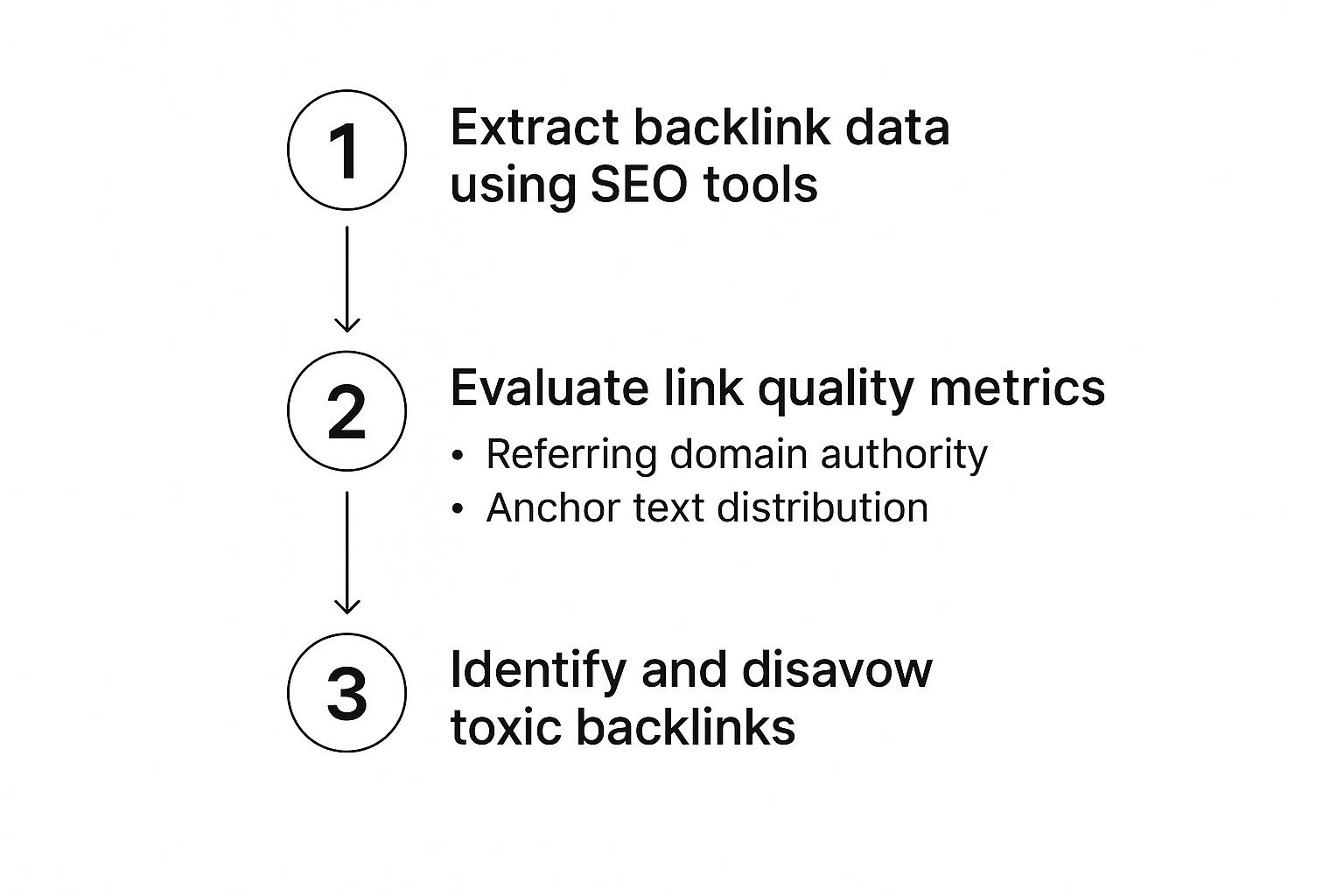
As you can see, pulling the data is just the beginning. The real work is in evaluating the quality of those links and then cleaning up anything that could be hurting you.
Spotting and Dealing with Toxic Backlinks
Let's be clear: not all links are good links. Some are actively harmful. Toxic backlinks are the junk food of SEO—they come from spammy sites, link farms, private blog networks (PBNs), or weird foreign-language sites that have nothing to do with your business.
A sudden flood of these links can set off alarm bells at Google and might even land you a manual penalty. During your audit, be on the lookout for these warning signs:
- Links coming from sites with laughably low domain authority scores.
- A ton of links using the exact same, keyword-stuffed anchor text.
- Backlinks from sites in completely unrelated industries (like a casino linking to a pet supply store).
- Links from pages that are just long, ugly lists of other links.
When you find these bad apples, your go-to move is Google's Disavow Tool. This tells Google, "Hey, please ignore these specific links when you're looking at my site." It basically neutralizes their negative effect. A word of caution: use this tool carefully. Disavowing the wrong links can do more harm than good.
Finding Gold with a Backlink Gap Analysis
Okay, enough with the cleanup. A backlink audit is also your best tool for uncovering amazing new opportunities. This is where a backlink gap analysis comes in, and it's one of my favorite strategies.
The idea is simple: you compare your backlink profile to your top competitors to see who is linking to them but not to you.
Most major SEO platforms have a "Link Intersect" or "Gap Analysis" feature built for this. You just plug in your domain and a few of your competitors, and it spits out a list of sites that link to them but not you.
This list is pure gold. It’s your new, high-priority outreach list. These sites have already proven they link to content in your niche, so they're warm leads. For instance, if you see that three of your main competitors all got a link from a top industry publication, that publication should be at the very top of your list for your next outreach campaign. It’s a targeted, strategic way to build links that actually move the needle.
Turning Audit Findings into an Actionable Strategy
https://www.youtube.com/embed/hfZ4FxiIGfg
An SEO audit that just sits in a folder collecting digital dust is a complete waste of time. The real magic happens when you transform that mountain of data into a clear, prioritized roadmap that guides your every move.
Without a solid plan, your audit findings are just interesting trivia. With one, they become the blueprint for real, measurable growth.
The first thing to do is stop looking at the audit as one massive to-do list. That's a surefire way to get overwhelmed. Instead, start by sorting all your findings into logical categories. This simple act brings clarity to the chaos and helps you spot patterns you might have otherwise missed.
You'll usually end up with a few core buckets:
- Technical SEO: This is where you'll put everything related to crawlability, indexing, site speed, and security. Think server errors, broken redirects, and schema issues.
- On-Page SEO: Here, you’ll group issues concerning title tags, content quality, keyword optimization, and internal linking strategies.
- Off-Page SEO: This category is for all things related to your backlink profile, from cleaning up toxic links to uncovering new authority-building opportunities.
Organizing your tasks this way keeps things manageable and sets you up for smart prioritization.
Creating Your Prioritization Framework
Okay, so you have your categorized lists. Now for the million-dollar question: where on earth do you start? Trying to fix everything at once is a recipe for disaster. This is where a simple but powerful prioritization framework comes into play, built on two key factors: impact and effort.
Impact is all about how much a particular fix is likely to move the needle on your SEO performance. Effort is the amount of time, resources, or technical skill it will take to get it done. The goal is to find that sweet spot.
A high-impact, low-effort task is a golden ticket. A perfect example is fixing a misconfigured robots.txt file that's accidentally blocking your entire site from Google—that’s a five-minute fix with a colossal impact. A complete site redesign, on the other hand, is a high-effort task that might have a high impact, but it belongs much further down the timeline.
Your immediate focus should always be on the "quick wins"—the tasks that will deliver the most significant results with the least amount of work. This builds momentum and shows the value of the audit to stakeholders right out of the gate.
This data-driven approach is what an SEO audit is all about. With Google processing over 8.5 billion searches every day and 79% of internet users relying on search engines, the volume of data is immense. Yet, a staggering 87% of marketers admit that data is their most underutilized asset, which highlights a massive opportunity for audits to turn raw numbers into a winning strategy. You can discover more about how marketers use data on seosherpa.com.
To make this even easier, you can use a simple matrix to plot out your tasks.
SEO Audit Prioritization Matrix
Use this framework to prioritize the issues found during your audit based on their potential impact and the effort required to fix them.
| Priority Level | Impact | Effort | Example Task |
|---|---|---|---|
| P1: Quick Wins | High | Low | Fixing a robots.txt file that's blocking important pages. |
| P2: Major Projects | High | High | A complete website migration or a major content overhaul. |
| P3: Fill-in Tasks | Low | Low | Updating old blog post meta descriptions. |
| P4: Reconsider | Low | High | A full redesign of a low-traffic, low-conversion page. |
This kind of visual guide takes the guesswork out of planning and helps everyone on the team understand what matters most right now.
From Issue to Actionable Task
A good audit report doesn’t just point out problems; it lays out clear solutions. Every single finding needs to be translated into an actionable task.
For instance, a vague entry like "broken links" isn't helpful. A specific task like "Redirect the 15 broken product pages identified in the crawl report to their new URLs" is something your team can actually execute.
For every issue you've prioritized, your report or project plan needs to clearly state:
- The Issue: What is the specific problem? (e.g., "The top 10 service pages are missing meta descriptions.")
- The Impact: Why does this problem matter? (e.g., "This leads to poor click-through rates from search results and hurts our traffic potential.")
- The Recommendation: What is the exact next step? (e.g., "Write unique, compelling meta descriptions around 155 characters for each of the 10 URLs listed.")
This structure removes all ambiguity and makes the path forward impossible to misunderstand.
Building Your SEO Roadmap
The final step is to assemble these prioritized, actionable tasks into a timeline. This living document becomes your SEO roadmap for the next 3-6 months.
But don't just list tasks. To make it truly effective, every single item on your roadmap needs two more crucial pieces of information:
- Ownership: Who is responsible for getting this done? Is it the developer, the content writer, or the SEO specialist?
- Deadline: When does this need to be completed by?
This level of detail is what transforms your audit from a simple diagnostic report into a full-blown project plan. It creates accountability and ensures the valuable insights you've uncovered don't get lost in the day-to-day shuffle. This is how you make sure that learning how to do an SEO audit actually leads to tangible improvements in your rankings and traffic.
Got Questions About SEO Audits? We've Got Answers
Even with the best game plan, a few questions always pop up, especially when you're just getting the hang of a proper SEO audit. Let's walk through some of the most common ones I hear from clients and in workshops.
How Often Should I Actually Run an SEO Audit?
This is a great question. You don't need to do a massive, deep-dive audit every single month.
Think of the full, comprehensive SEO audit as an annual physical for your website. You should block out time to do one once a year. This gives you a complete benchmark of your site’s health and helps you build a solid strategy for the next 12 months.
But you can't just set it and forget it for a year. I strongly recommend doing a smaller "health check" every quarter. This isn't the full-blown audit; instead, you're just quickly checking the vitals—things like new crawl errors, site speed fluctuations, and recent backlink gains or losses. It's the best way to catch small issues before they snowball into major problems.
Of course, there are exceptions. If you've just gone through a major site redesign, migrated to a new platform, or seen a sudden, scary drop in your organic traffic, you need to do an in-depth audit immediately. Don't wait on that.
What Are the Best SEO Audit Tools to Use?
There’s no single "best" tool, and anyone who tells you otherwise is probably trying to sell you something. The reality is, a truly effective audit relies on a small stack of specific tools that work together.
Here’s what a typical toolkit looks like for me:
- For a Full Site Crawl: You absolutely need a crawler. My go-to choices are Screaming Frog and Sitebulb. They act just like Googlebot, crawling every single page of your site to uncover technical hiccups like broken links, long redirect chains, or pesky duplicate content. You can't do a technical audit without one.
- For the Big Picture: This is where the all-in-one platforms shine. Tools like Ahrefs and Semrush are workhorses. They're essential for digging into your backlink profile, analyzing your keyword rankings, and spying on what your competitors are doing right.
- For Data Straight from the Source: Never, ever forget about Google's own tools. They're free and provide data you can't get anywhere else. Google Search Console is non-negotiable; it tells you exactly how Google sees your site, including any indexing problems or crawl errors. And Google PageSpeed Insights is the final word on your site's performance.
Can I Do This Myself, or Should I Hire Someone?
Honestly, you can do it yourself. Following a solid guide like this one will empower you to conduct a really effective foundational audit. It's one of the best ways to truly understand your own website's opportunities and weak spots, particularly when it comes to on-page SEO and your content.
However, there are times when calling in a professional is the smart move. If the audit uncovers deep technical issues (think complex schema problems or international SEO tangles) or if the backlink analysis gets overwhelming, an experienced SEO consultant or agency can be a lifesaver. They have the experience to spot subtle issues that tools often miss and can help you build a roadmap that actually makes sense for your business.
My advice? Start with a DIY audit. If you get stuck, feel out of your depth, or just want a second set of expert eyes on your findings, that's the perfect time to bring in a pro.
Ready to turn your audit findings into a winning strategy? ReachLabs.ai offers a full suite of digital marketing services, from technical SEO to creative content execution, designed to elevate your brand's voice and drive measurable growth.